Splunk HEC
Follow the HTTP Event Collector of a Splunk deployment from the telemetry Splunk already writes: endpoints found from their heartbeats, pools of heavy forwarders judged as a whole, tokens known only by name, one endpoint’s ingestion pipeline and a pool’s traffic distribution; a heavy forwarder stopped on purpose and the two findings it opens, how each is evaluated, the data centres in Topology Studio and the Splunk HEC AI Agent; then the eighteen policies, token silence, the traffic models and their tuning, collection health and the optional splunkd API.
about 30 minutes · 32 slides. Each slide is followed by a description of what it shows — read top to bottom, this page is the walkthrough.
Overview
This walkthrough covers the Splunk HEC tenant, generally available in TrackMe 2.4.21. Everything was captured live on a deployment with two data centres: two pools of two heavy forwarders each, every pool receiving its own HEC token from Cribl Stream senders. In four parts: create the tenant, follow the endpoints, pools and tokens, read the findings of a heavy forwarder stopped on purpose, and operate the tenant.
Why a dedicated Splunk HEC tenant
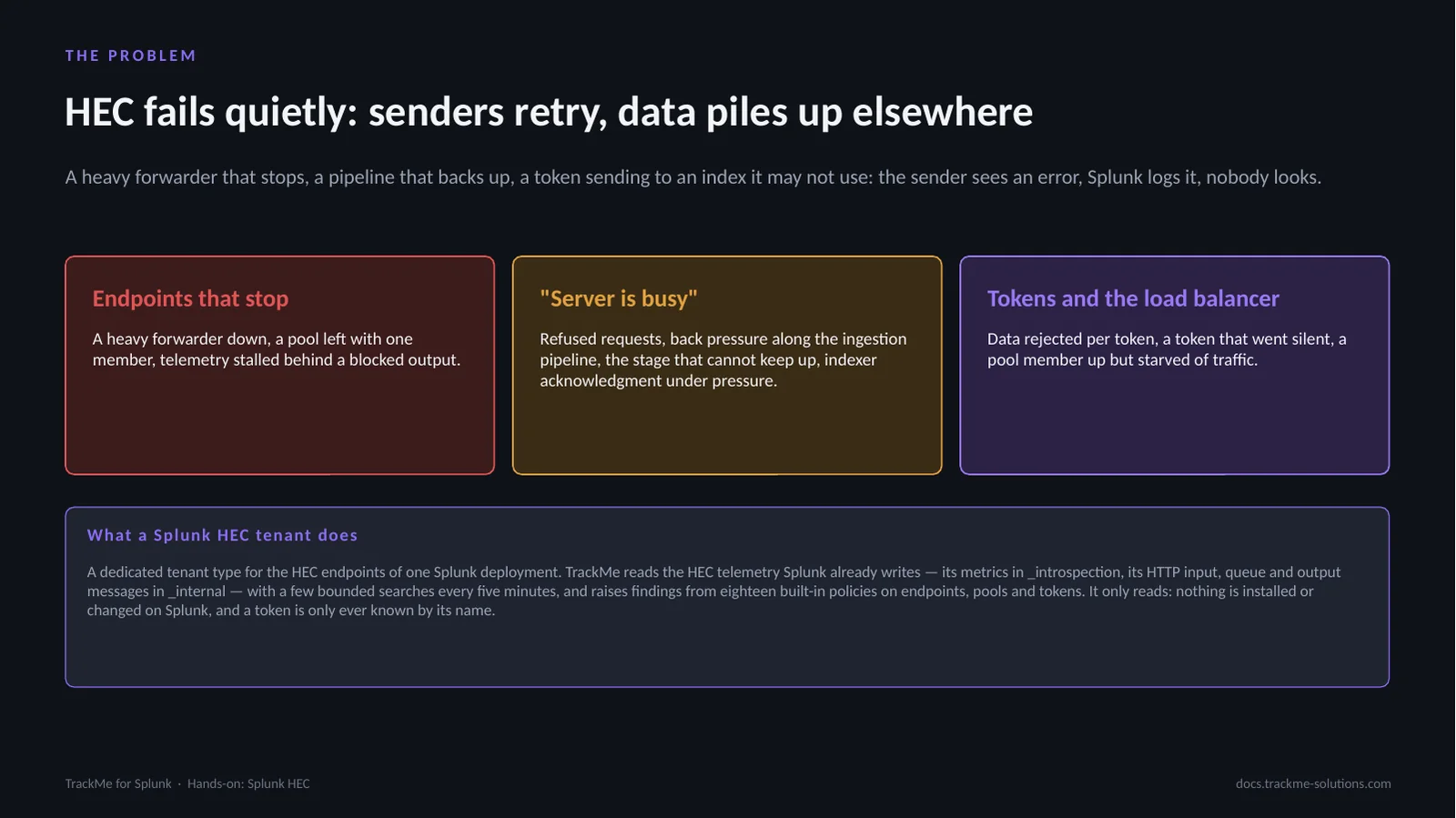
A Splunk administrator asks the same HEC questions every day: are all the HEC endpoints up and receiving, are senders being refused and why, where is the bottleneck when HEC answers Server is busy, which tokens send data Splunk rejects, did a business-critical token stop sending, and does the load balancer spread the traffic over every member of the pool. The Splunk HEC tenant answers them with findings raised by eighteen built-in policies on endpoints, pools and tokens. It only reads: nothing is installed or changed on Splunk, and a token is only ever known by its name.
How a Splunk HEC tenant works
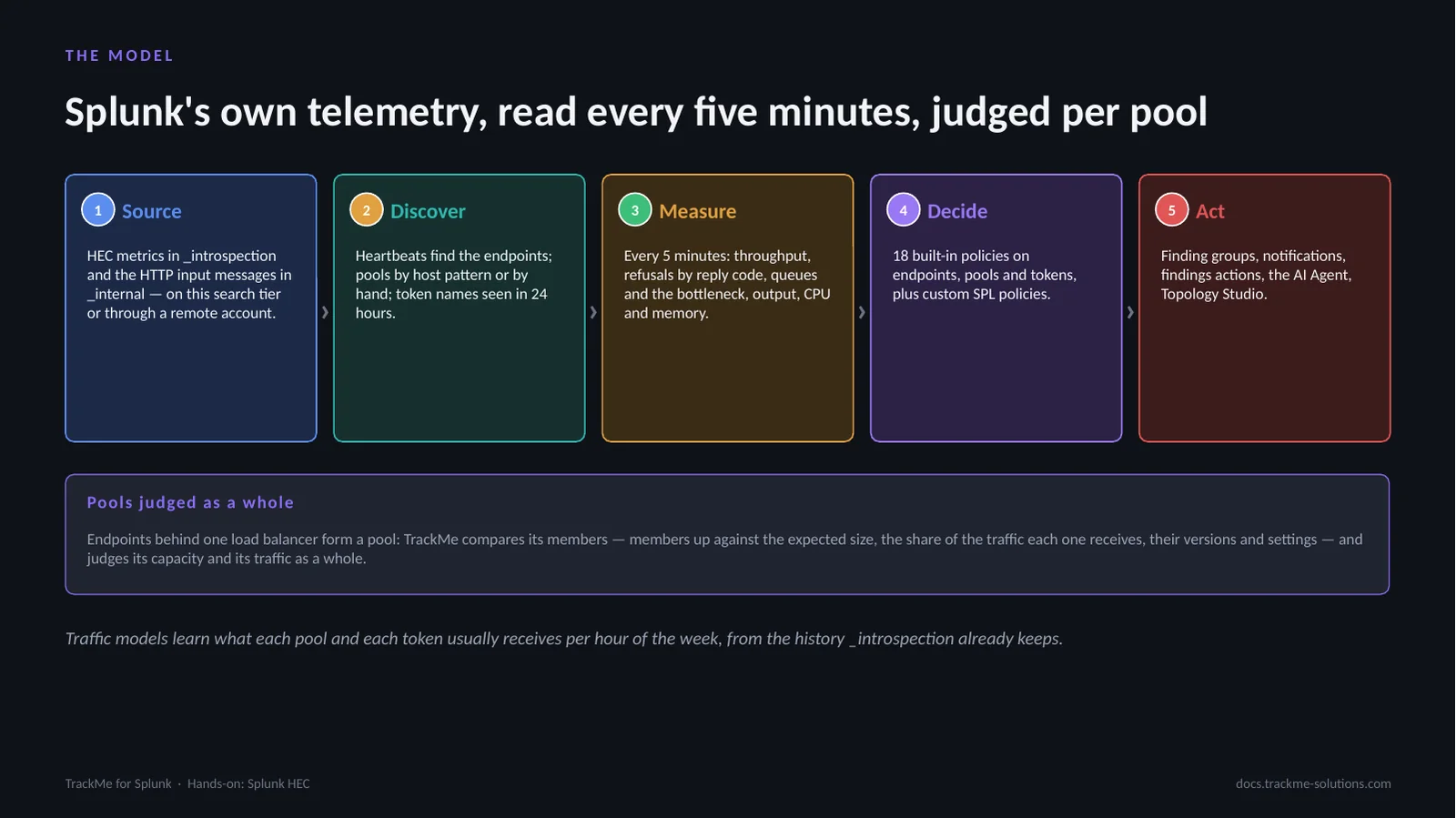
Every HEC instance writes its HEC metrics every minute, traffic or not: that heartbeat finds the endpoints and says whether they are up. Every five minutes TrackMe reads the last settled window of what Splunk indexed — throughput, refusals by reply code, queues and the bottleneck, output and load per endpoint and token — with a few bounded searches whatever the number of endpoints. Endpoints behind one load balancer form a pool, judged as a whole, and traffic models learn what each pool and token usually receives from the history _introspection already keeps.
The four parts of the walkthrough
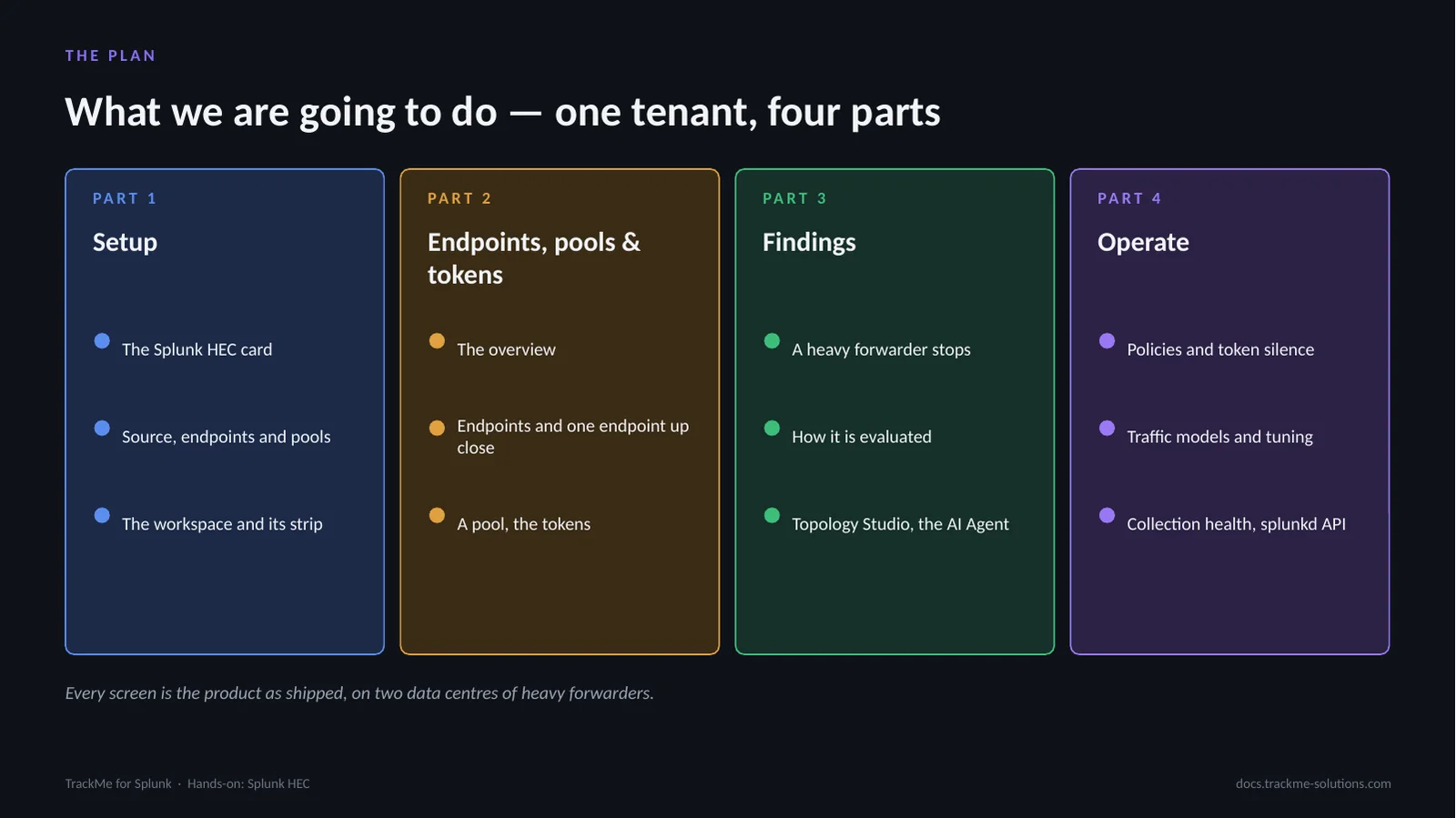
Setup covers the wizard, the pools and the workspace. Endpoints, pools and tokens covers the overview, the endpoints and one endpoint up close, a pool and how it spreads its traffic, and the tokens. Findings follows a heavy forwarder stopped on purpose: what opens, how it is evaluated, the topology and the AI Agent. Operate covers the policies, the tokens that must keep sending, the traffic models and their tuning, collection health and the splunkd API.
Part 1 — Setup
A Splunk HEC tenant reads one deployment: its local search tier, or another deployment through a TrackMe remote account, a Splunk Cloud stack included. This part covers the Splunk HEC card, the source and its endpoints discovered from their heartbeats, the pools of each data centre, and the workspace.
Choosing the Splunk HEC tenant type
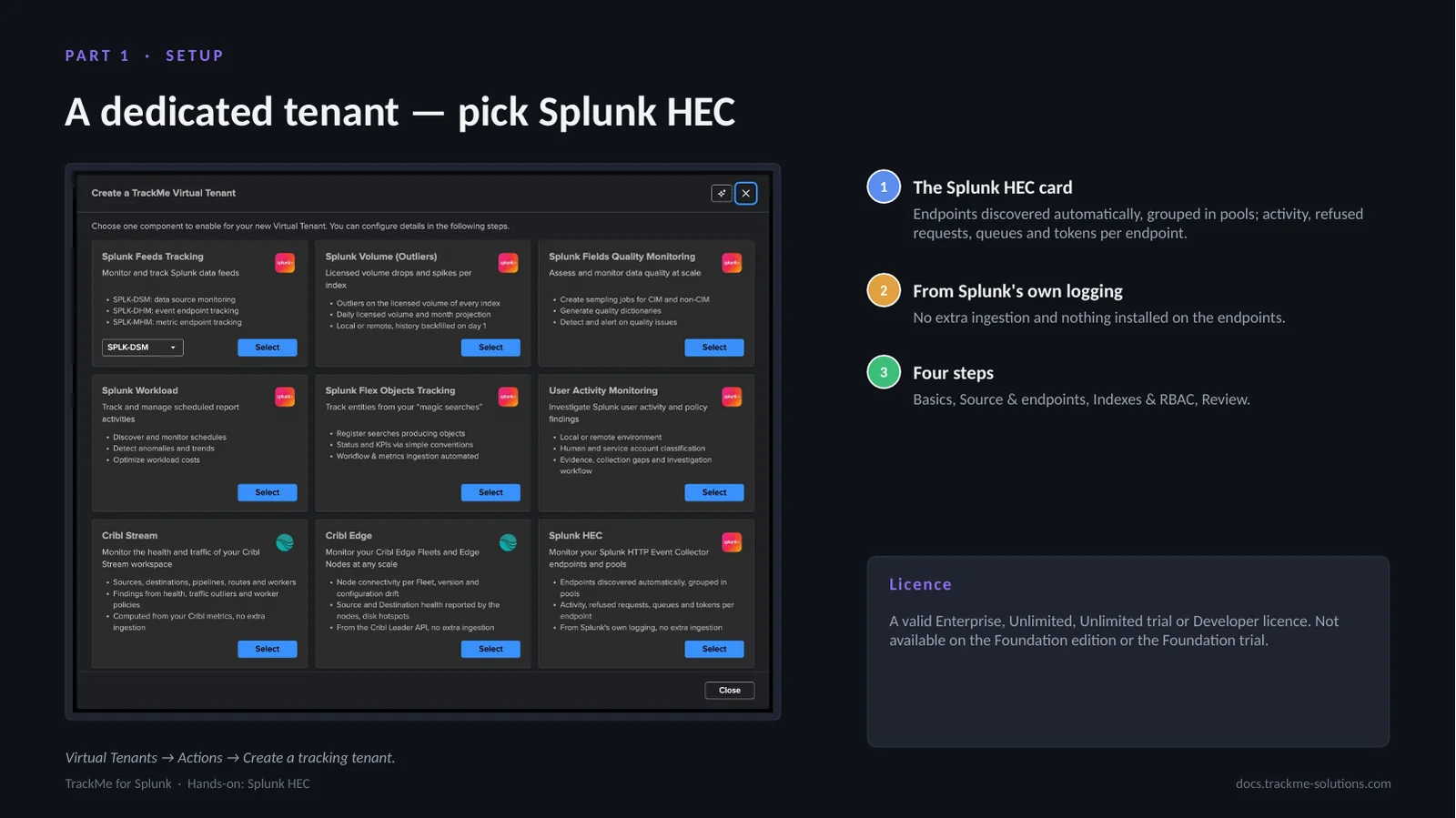
From Virtual Tenants, Actions, Create a tracking tenant, the Splunk HEC card monitors the HTTP Event Collector endpoints and pools of a deployment from Splunk’s own logging, with no extra ingestion and nothing installed on the endpoints. The wizard has four steps: Basics, Source & endpoints, Indexes & RBAC, and Review. A Splunk HEC tenant has no entities and no state colour: it is a findings tenant. It needs a valid Enterprise, Unlimited, Unlimited trial or Developer licence.
The How it works diagram
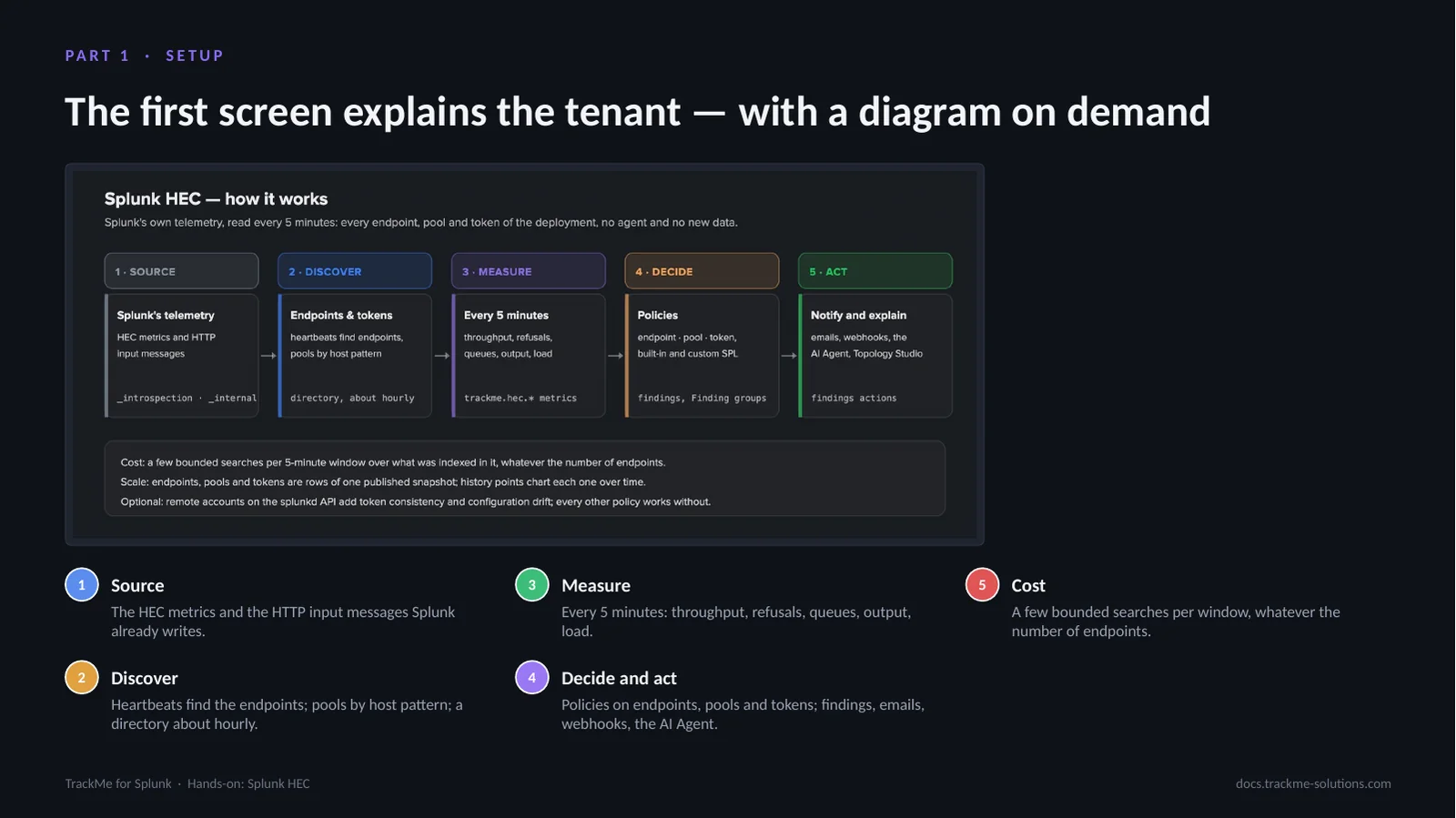
Basics holds the tenant identifier, an alias and a description, under a card that says what the tenant does. How it works draws the five stages: the source, the HEC metrics and HTTP input messages Splunk already writes; discovery of the endpoints from their heartbeats, with pools by host pattern; measurement every five minutes; the policies that decide; and the findings, emails, webhooks and AI Agent that act. The cost stays at a few bounded searches per window, and the optional splunkd API enrichment adds two configuration policies.
Source, indexes and discovered endpoints
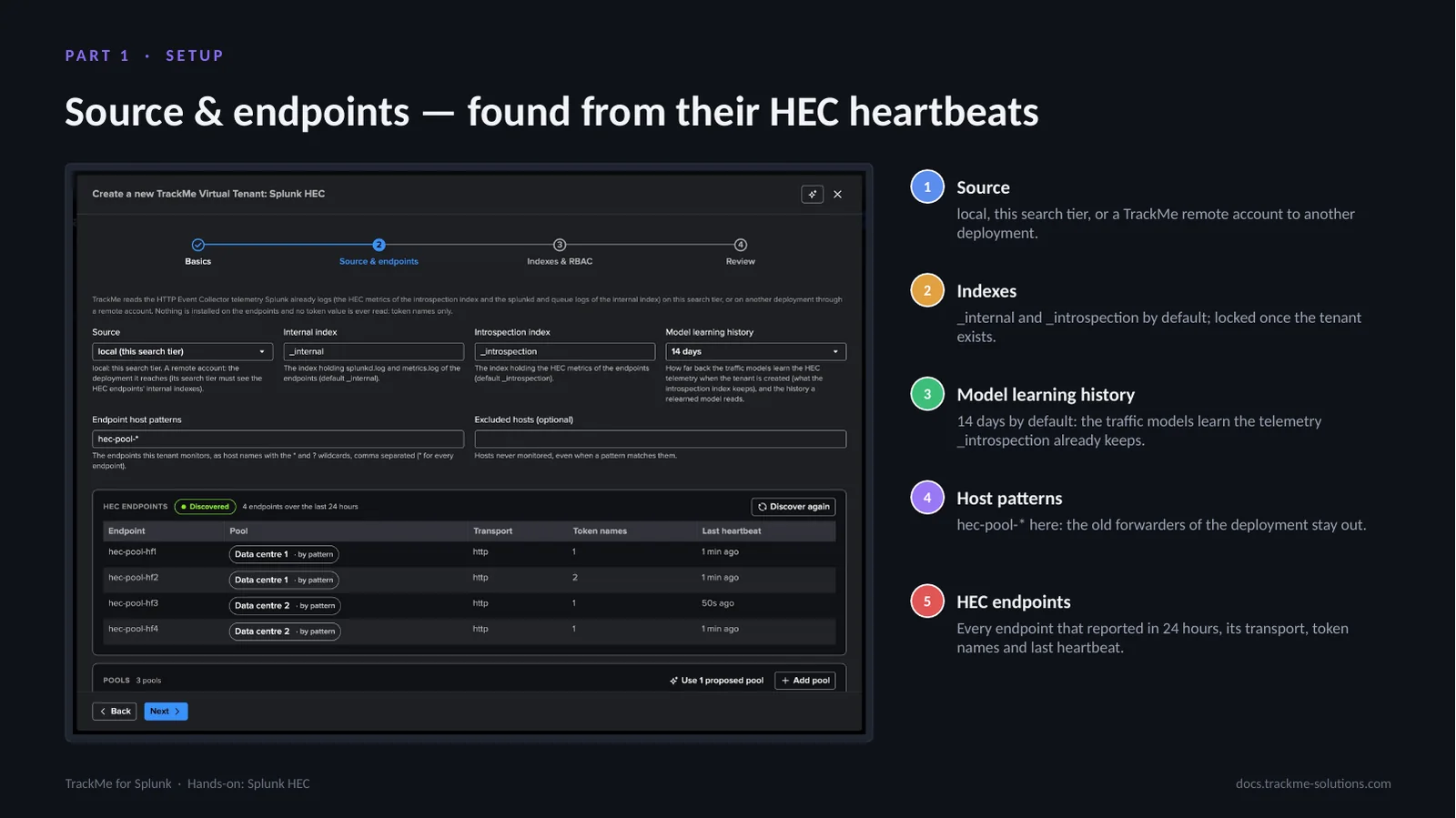
The source is local, this search tier, or a TrackMe remote account to another deployment. The internal and introspection indexes are locked once the tenant exists. The Model learning history, 14 days by default, is how far back the traffic models learn the telemetry _introspection keeps. Host patterns narrow the tenant to the endpoints it follows — hec-pool-* here, which leaves the older forwarders of the deployment out. TrackMe lists every endpoint that reported in the last 24 hours with its transport, token names and last heartbeat.
One pool per data centre
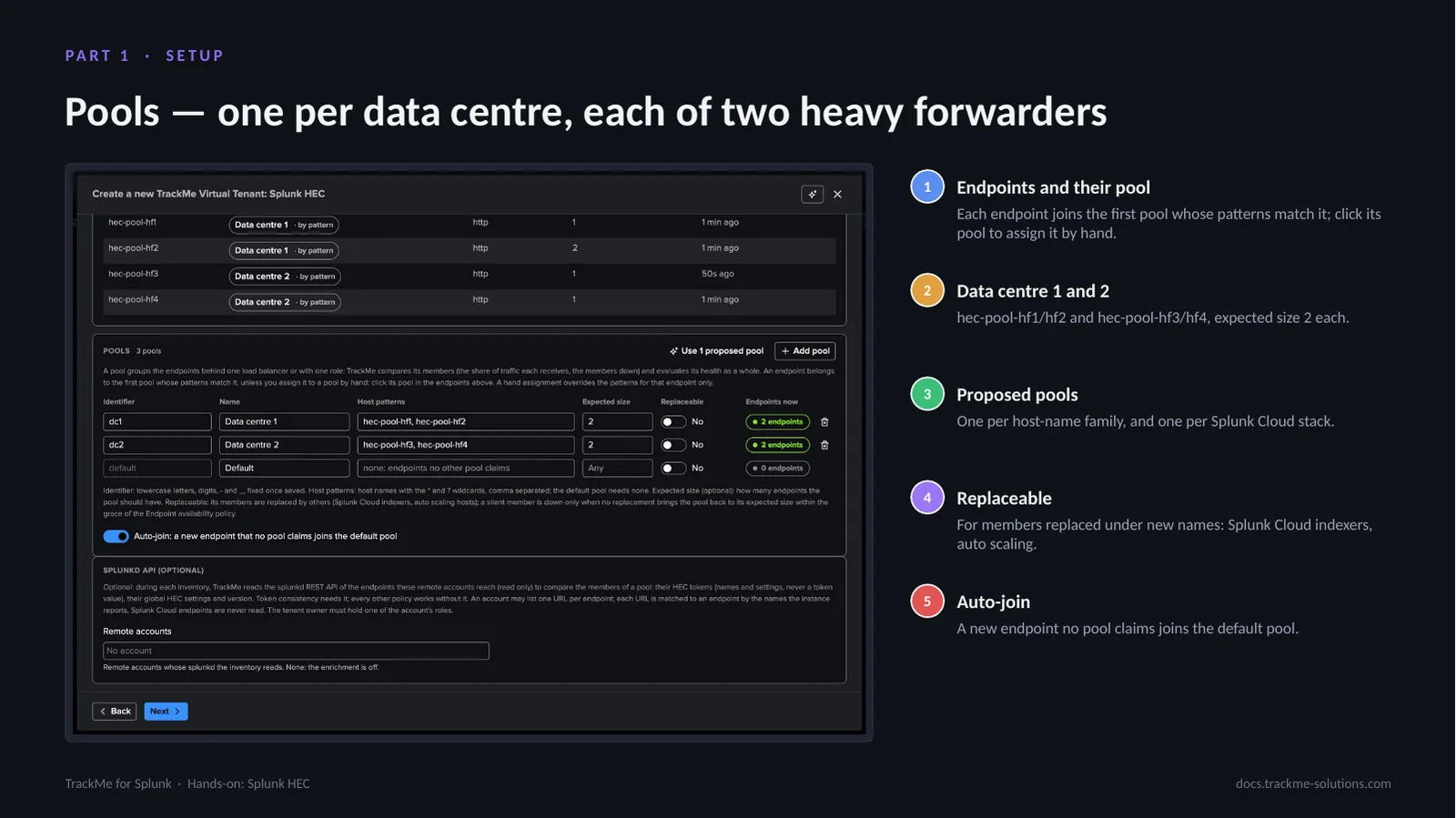
A pool groups the endpoints behind one load balancer or with one role. Each data centre has its own pool, Data centre 1 with hec-pool-hf1 and hec-pool-hf2 and Data centre 2 with hec-pool-hf3 and hec-pool-hf4, with an expected size of two each. An endpoint joins the first pool whose patterns match it, or the pool it is assigned to by hand. The discovery proposes one pool per host-name family and one per Splunk Cloud stack; Replaceable suits members replaced under new names, and Auto-join sends a new endpoint to the default pool.
Review and creation
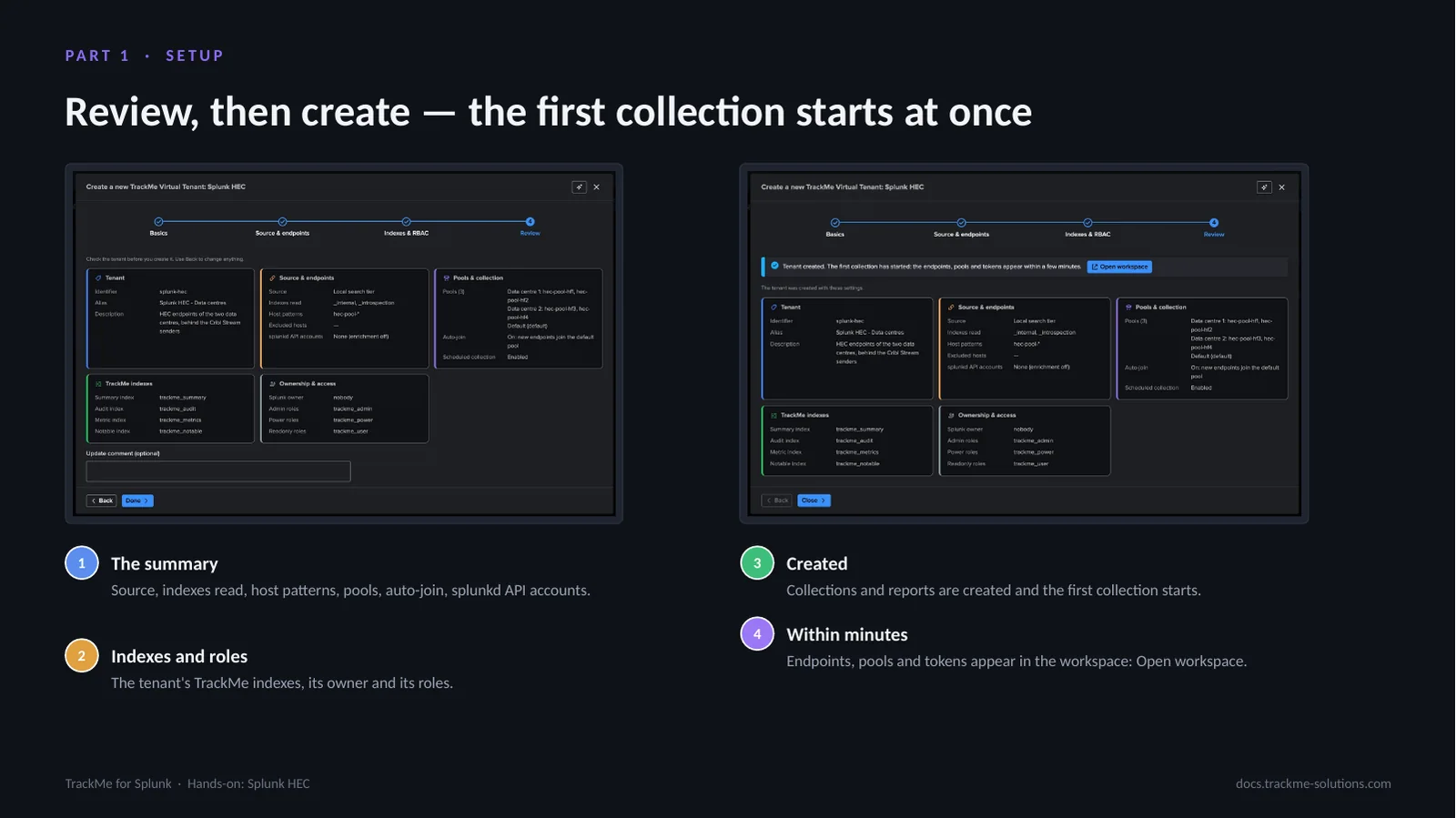
The review summarises the source, the indexes read, the host patterns, the pools, auto-join and the splunkd API accounts, with the tenant’s TrackMe indexes, owner and roles. Creating the tenant creates its collections and reports and starts the first collection at once: the endpoints, pools and tokens appear in the workspace within minutes. The HEC activity is read and the policies evaluated every five minutes, the endpoint directory rebuilt about once an hour and the traffic models trained twice an hour.
The workspace and its status strip
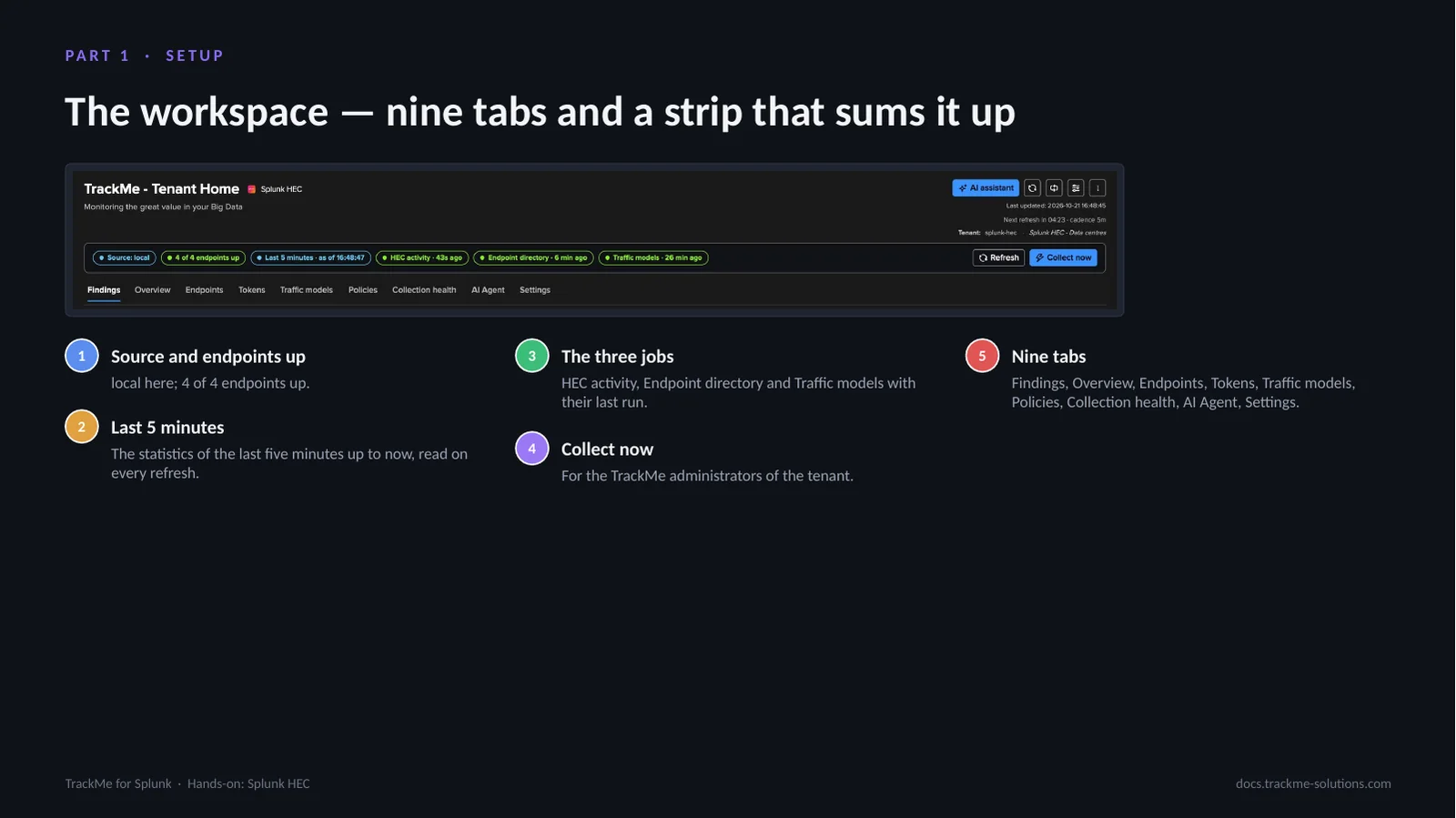
The Splunk HEC workspace is built with the same components as the Cribl workspaces. The status strip shows the source and the endpoints up, the Last 5 minutes badge, the last run of HEC activity, Endpoint directory and Traffic models, Refresh and, for the TrackMe administrators of the tenant, Collect now. Nine tabs follow: Findings, Overview, Endpoints, Tokens, Traffic models, Policies, Collection health, AI Agent and Settings. On every refresh TrackMe reads the last five minutes up to now and lays them over the collected rows.
Part 2 — Endpoints, pools & tokens
This part covers the deployment at a glance and any endpoint up close: the overview with its tiles and traffic, the pools and the endpoints needing attention, the Endpoints tab, one endpoint with its ingestion pipeline and output, a pool and how it spreads its traffic over its members, the tokens by name, and the live maps each tab draws.
Tiles and traffic over time
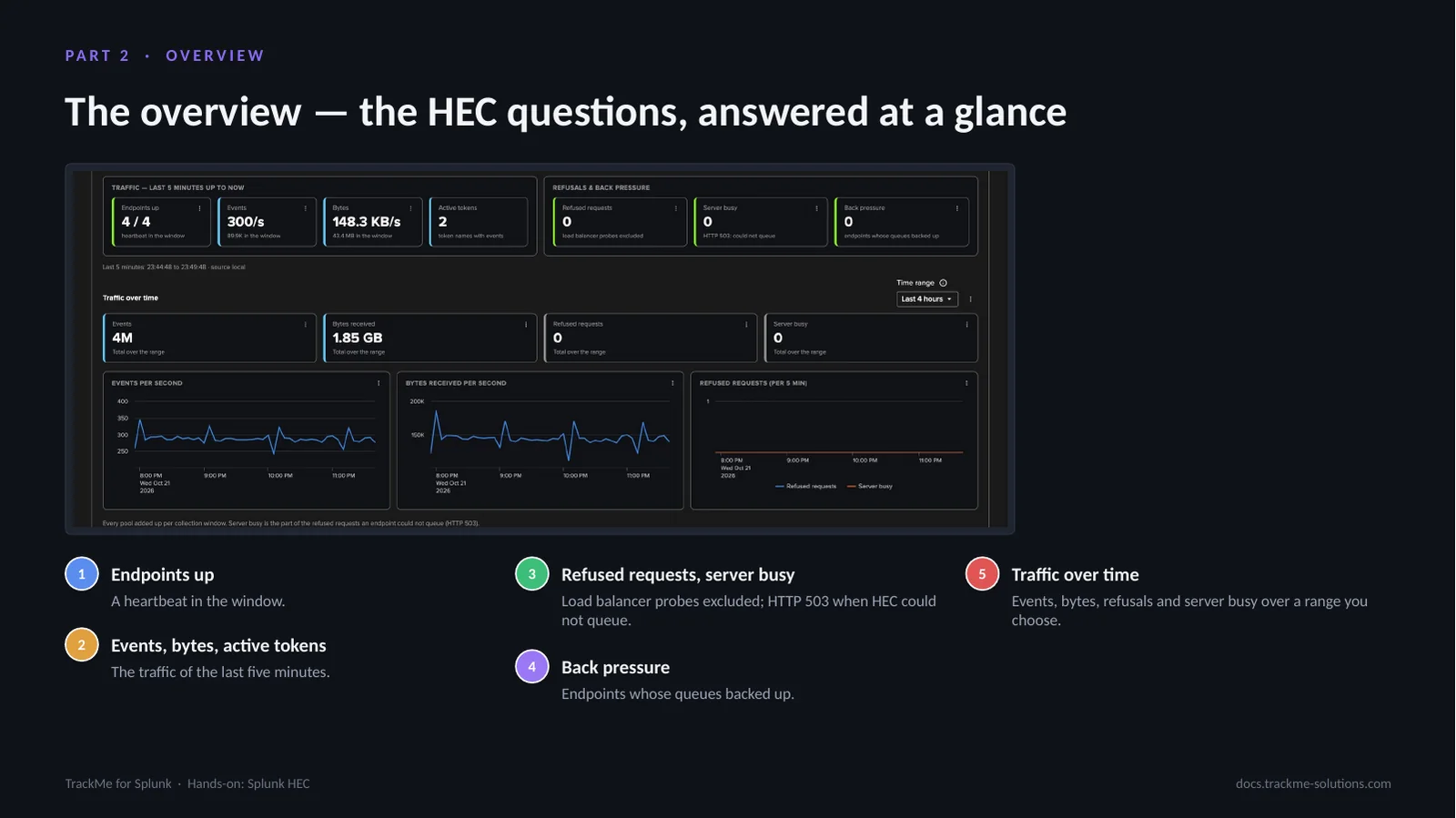
The overview answers the HEC questions at a glance: endpoints up with a heartbeat in the window, events, bytes and active tokens, refused requests with load balancer probes excluded, server busy replies when HEC could not queue a request, and endpoints whose queues backed up. Refused requests, server busy, back pressure and stalled open the Endpoints tab sorted or filtered on them. Traffic over time charts events, bytes, refusals and server busy replies over a chosen range.
Pools and the endpoints needing attention
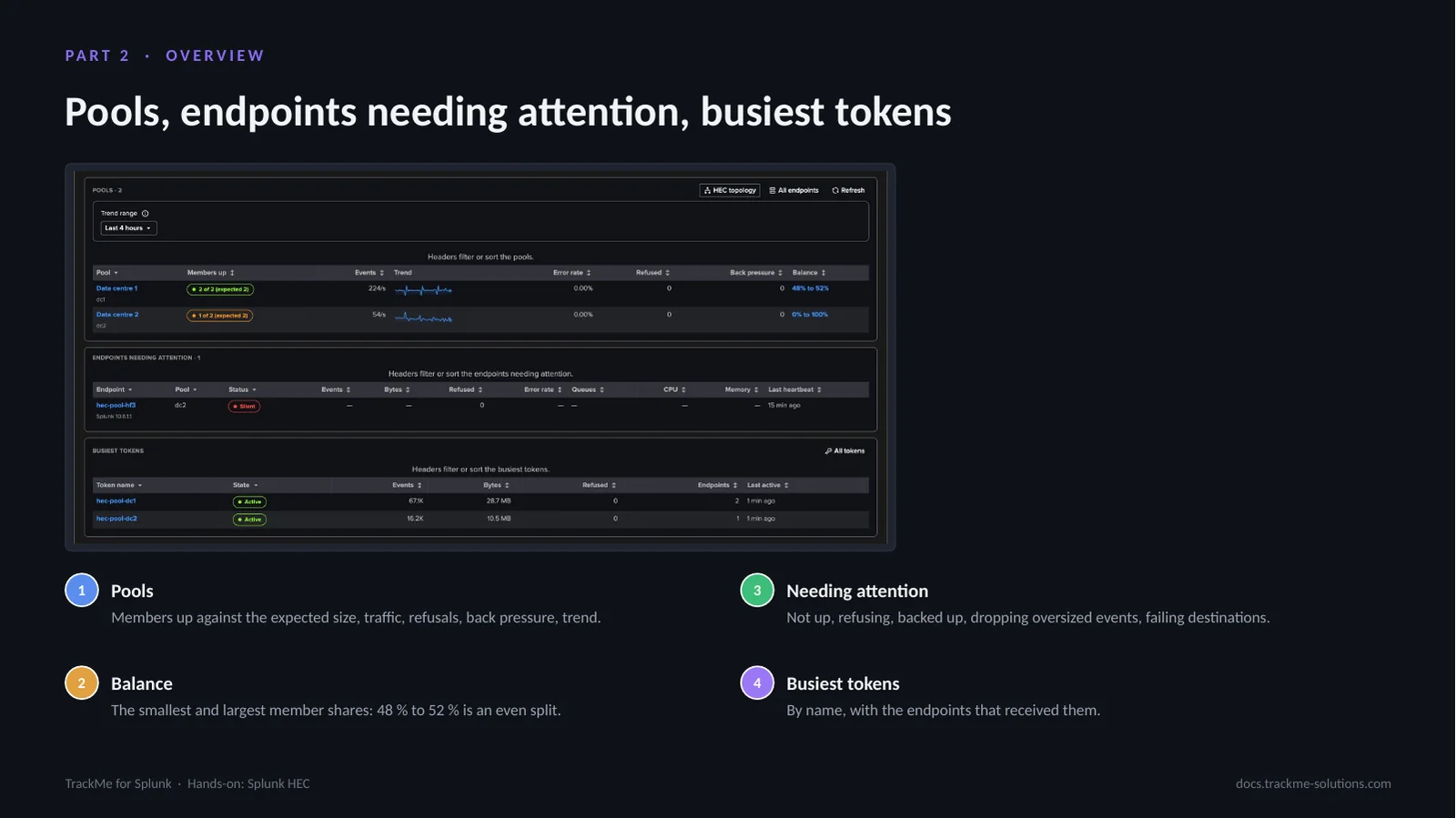
Below the charts, each pool shows its members up against the expected size, its traffic, refusals, back pressure, trend and balance — the smallest and largest member shares, 48 to 52 per cent for an even split. Data centre 2 has one of its two members up: hec-pool-hf3 was stopped, and it is listed as silent among the endpoints needing attention, with no CPU or memory figure. The busiest tokens follow, by name, with the endpoints that received them. A pool name or its balance opens the pool drilldown, and HEC topology draws every pool and its endpoints on a live map.
The Endpoints tab
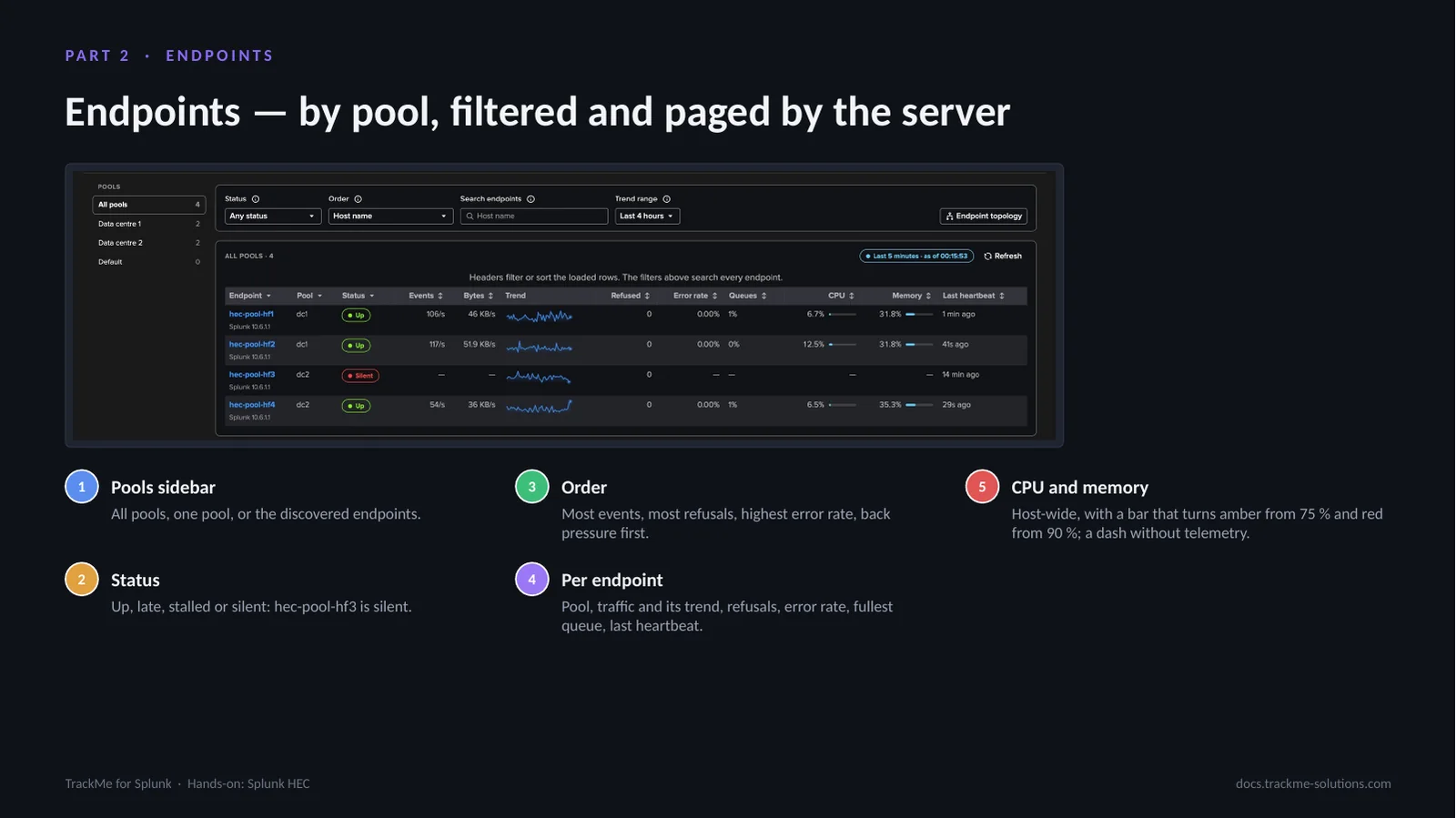
Every endpoint, by pool, filtered and paged by the server: the sidebar selects all pools, one pool or the discovered endpoints, and the table filters by status and sorts by traffic, refusals, error rate or back pressure. An endpoint is up with a heartbeat in the window, late without one this window but one in the last five minutes, stalled when its output was in trouble and its own telemetry waits behind it, and silent otherwise, as hec-pool-hf3 is here, its trend falling while hec-pool-hf4 takes the traffic. Each row also shows the host’s CPU and memory, every process on the host included, with a bar that turns amber from 75 per cent and red from 90; a stopped endpoint shows a dash. Endpoint topology draws the endpoints the tab selects.
One endpoint and its ingestion pipeline
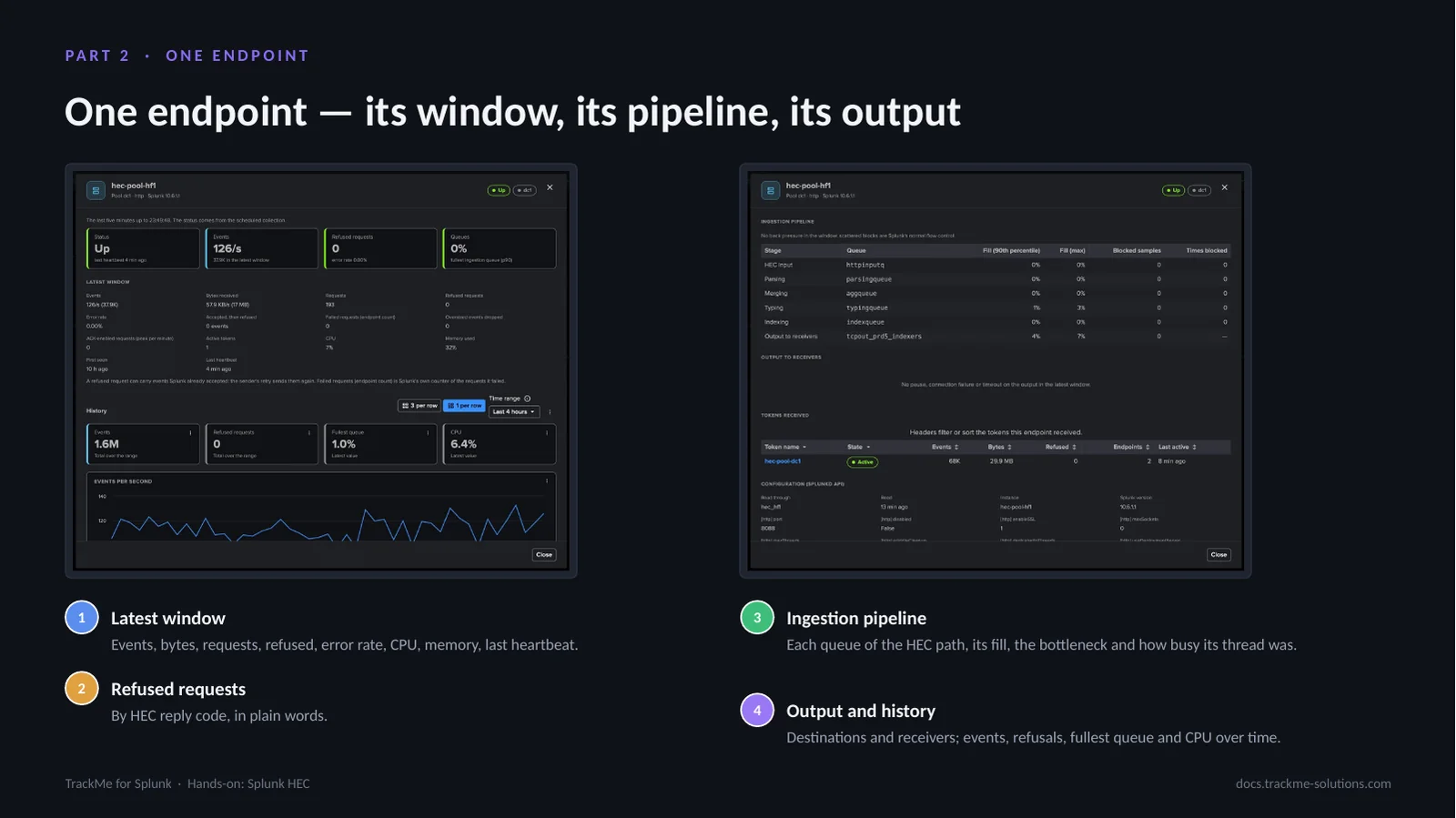
The endpoint drilldown shows the latest window — events, bytes, requests, refused requests, error rate, CPU, memory and last heartbeat — then the refused requests by reply code. The ingestion pipeline lists each queue of the HEC path with its fill, blocked samples, the bottleneck and how busy its thread was: when a stage cannot keep up its queue fills, then the queues before it, until HEC refuses requests. The output to receivers, the tokens received and the history complete it.
A pool and its traffic distribution
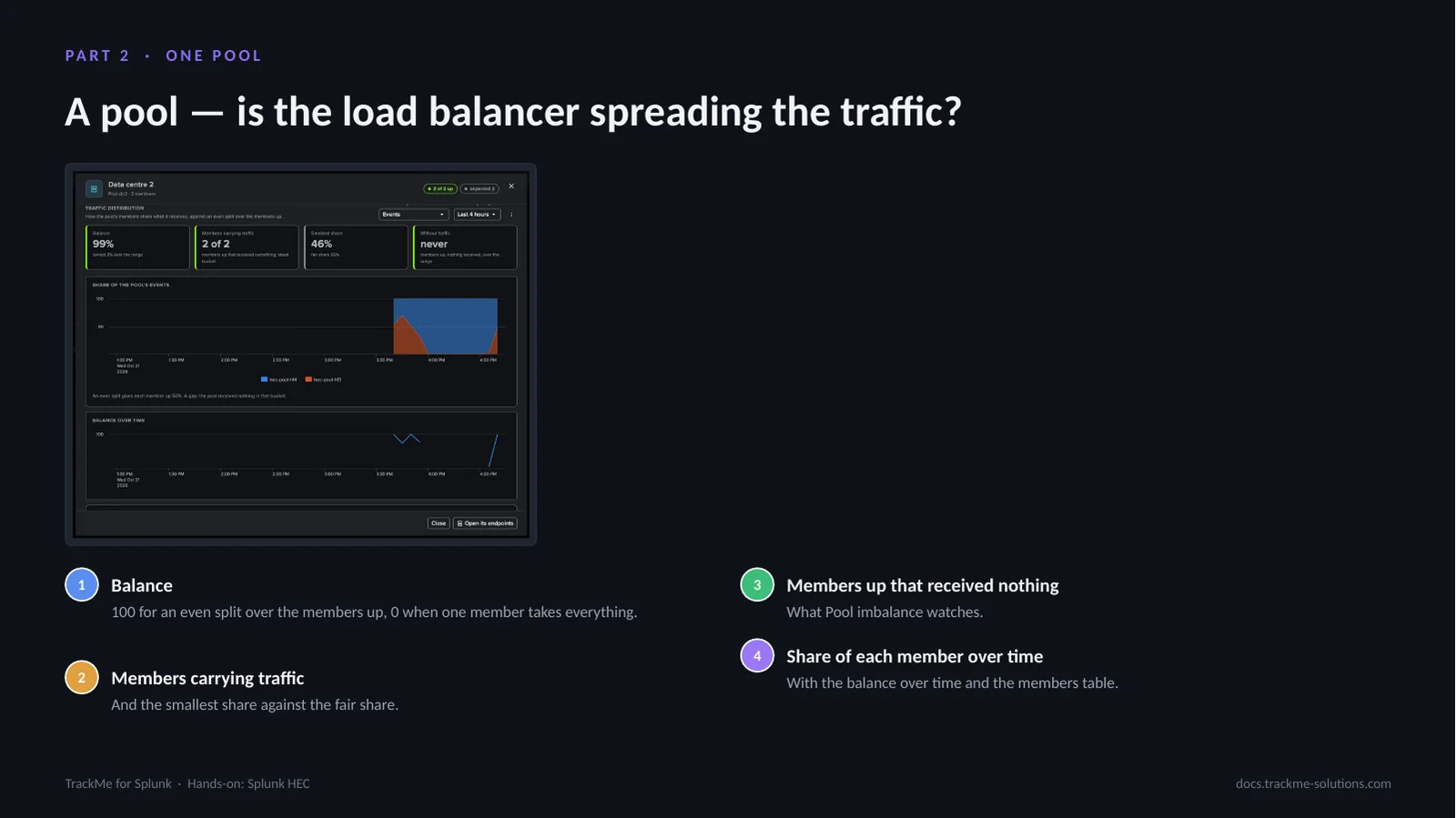
The pool drilldown shows how the members share what the pool receives, against an even split over the members up. Balance is 100 for an even split and 0 when one member takes everything; the tiles add the members carrying traffic, the smallest share against the fair share and the members up that received nothing. Over the last four hours of Data centre 2, the share of hec-pool-hf3 falls to zero while it was stopped, then comes back.
Tokens by name, never by value
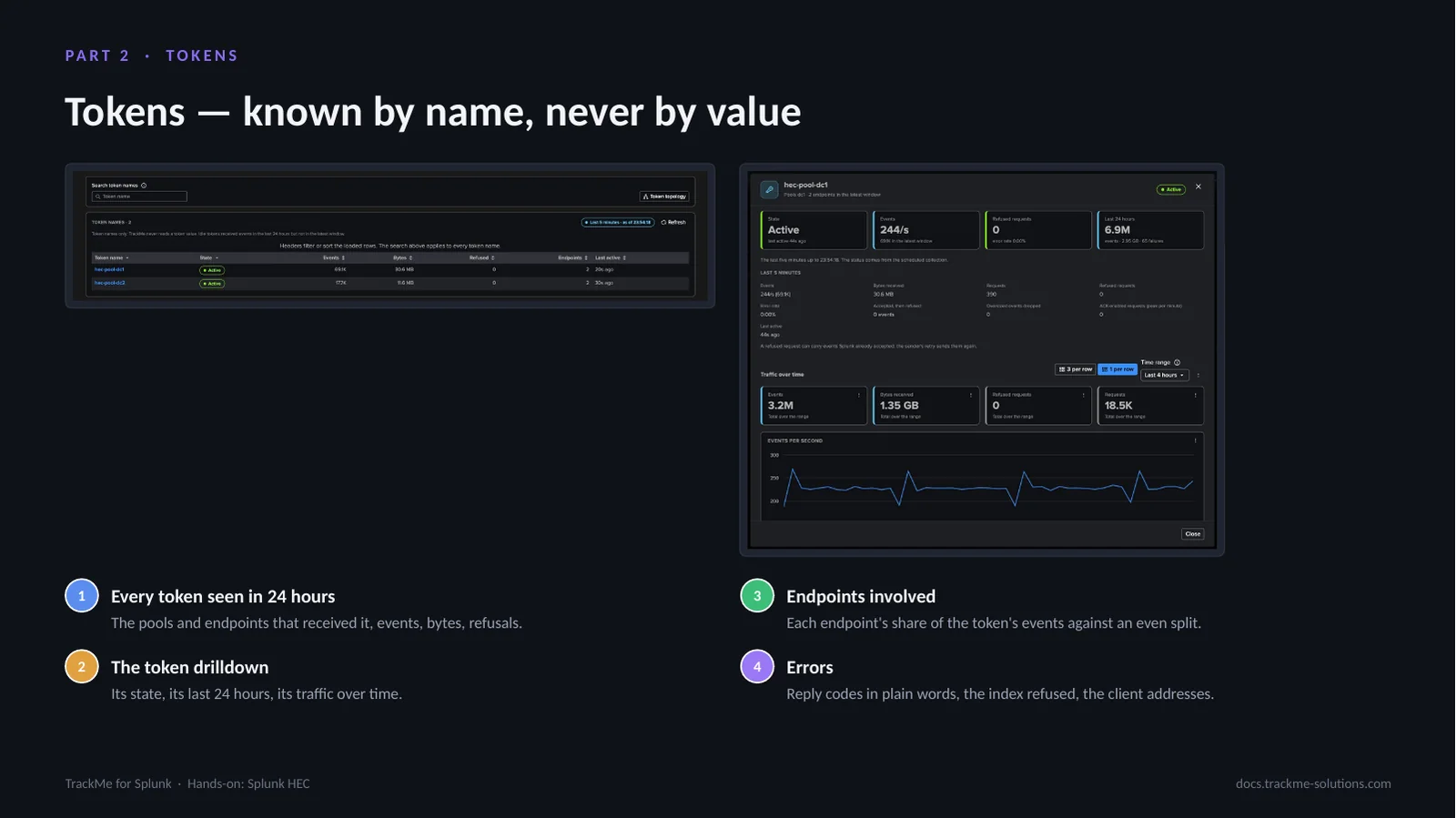
The Tokens tab lists every token name seen in the last 24 hours with the pools and endpoints that received it, its events, bytes and refused requests. A token opens its drilldown: its state, its last 24 hours, its traffic over time, the endpoints involved with each one’s share of the token’s events against an even split, and the errors in plain words. TrackMe never reads, stores, logs or shows a token value. Here each data centre has its own token, received only by the heavy forwarders of its pool.
Generated topologies
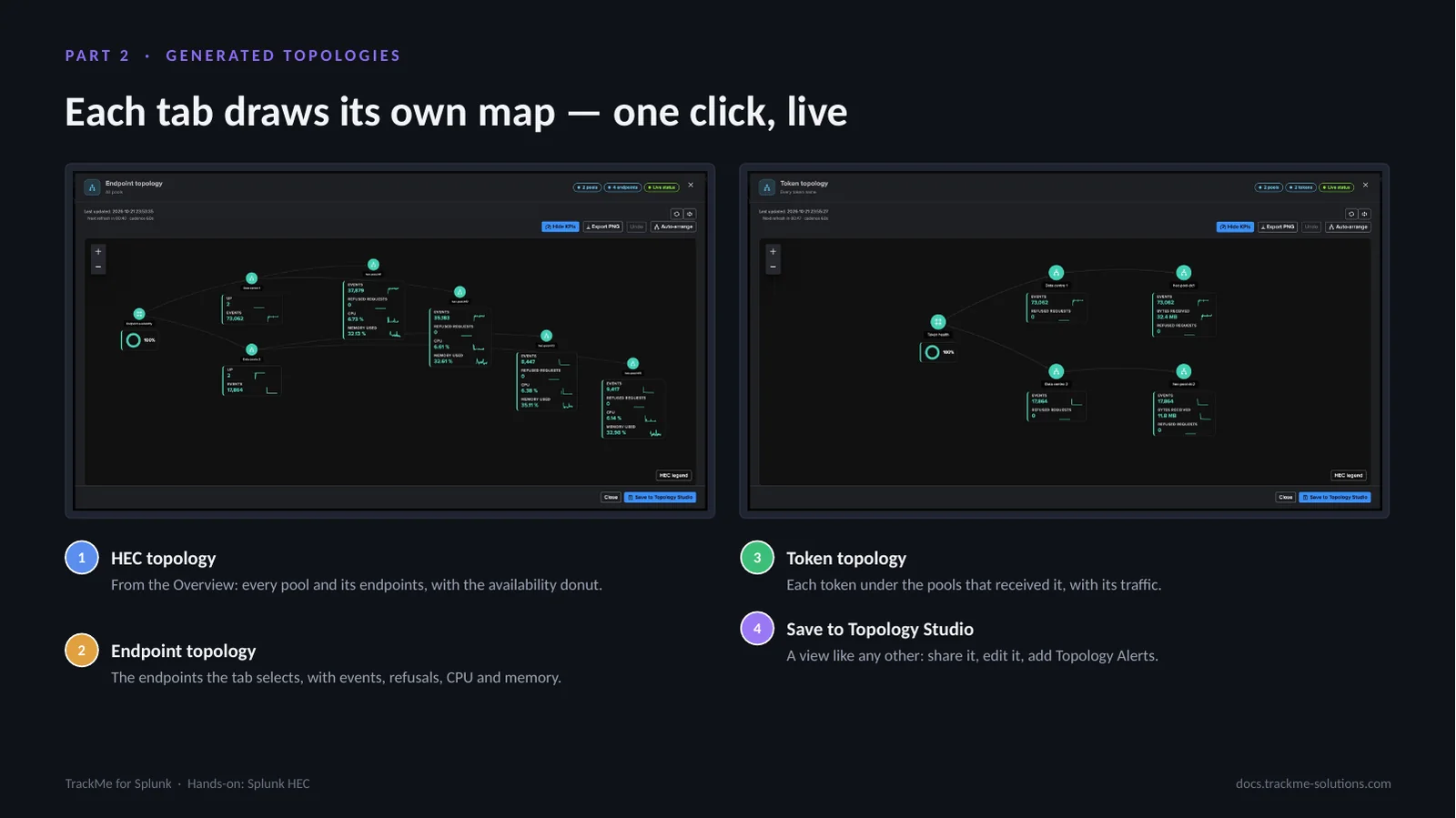
Each workspace tab draws a live map of what it shows, on the Topology Studio canvas. HEC topology, from the Overview, draws every pool and its endpoints with the availability donut. Endpoint topology draws the endpoints the Endpoints tab selects, each with its events, refused requests, CPU and memory. Token topology draws each token under the pools that received it, with its traffic. Every node shows its live status and its twenty-four-hour sparklines, refreshed every minute. Save to Topology Studio keeps the map as a view like any other: share it, edit it, add Topology Alerts.
Part 3 — Findings
hec-pool-hf3, one of the two heavy forwarders of Data centre 2, was stopped on purpose. This part follows what opened — Endpoint availability on the endpoint and Pool capacity on its pool — how each is evaluated, the topology and the Splunk HEC AI Agent. Findings work as on the Cribl tenants: Finding groups, triage, notifications, assignment and findings actions.
Two findings from one stopped forwarder
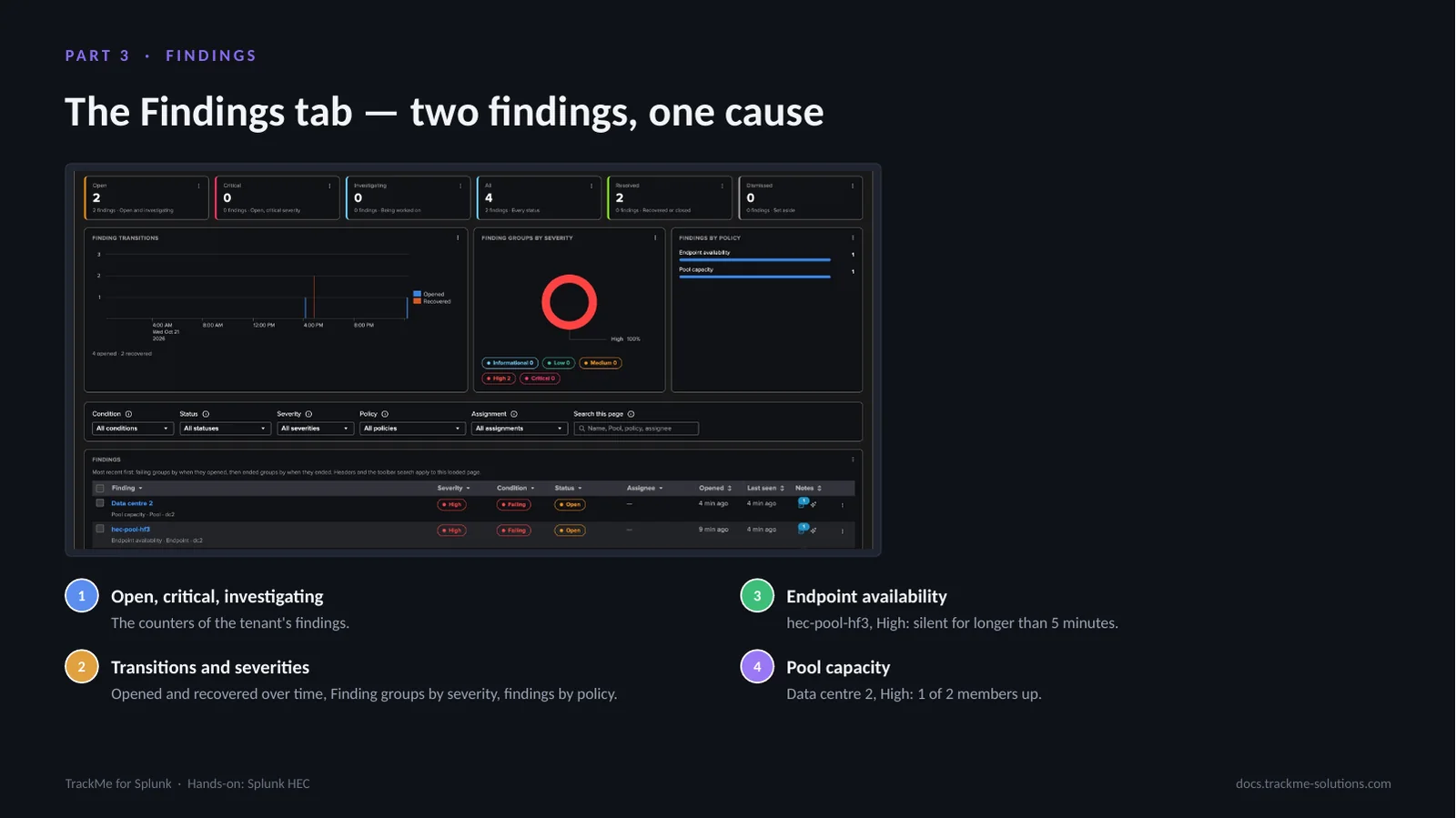
The Findings tab counts the open, critical and investigating findings, charts the transitions over time, the Finding groups by severity and the findings by policy, and lists the findings. Endpoint availability opened on hec-pool-hf3 at the first silent check, High; Pool capacity opened on Data centre 2 after two checks, High, critical only below half the expected size. Each object gathers its findings in one Finding group, the unit that is triaged and notified.
The investigation of each finding
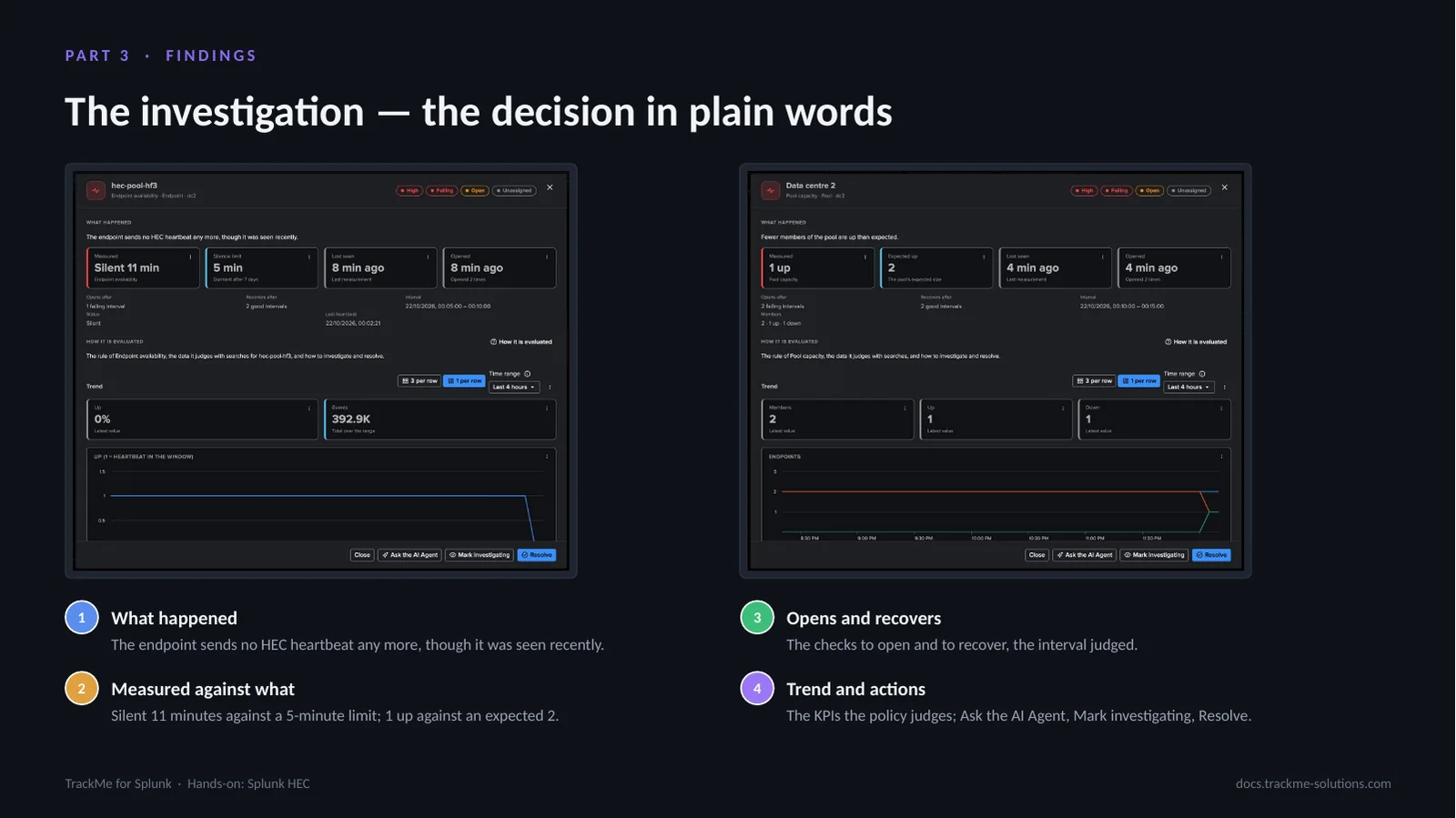
The investigation gives the decision in plain words — the endpoint sends no HEC heartbeat any more, though it was seen recently; fewer members of the pool are up than expected — the measurement and what it was compared with, the checks to open and to recover, the interval judged and the trend of the KPIs the policy judges. Ask the AI Agent, Mark investigating and Resolve sit at the bottom, and Open resource opens the endpoint, pool or token in place.
How a decision is evaluated
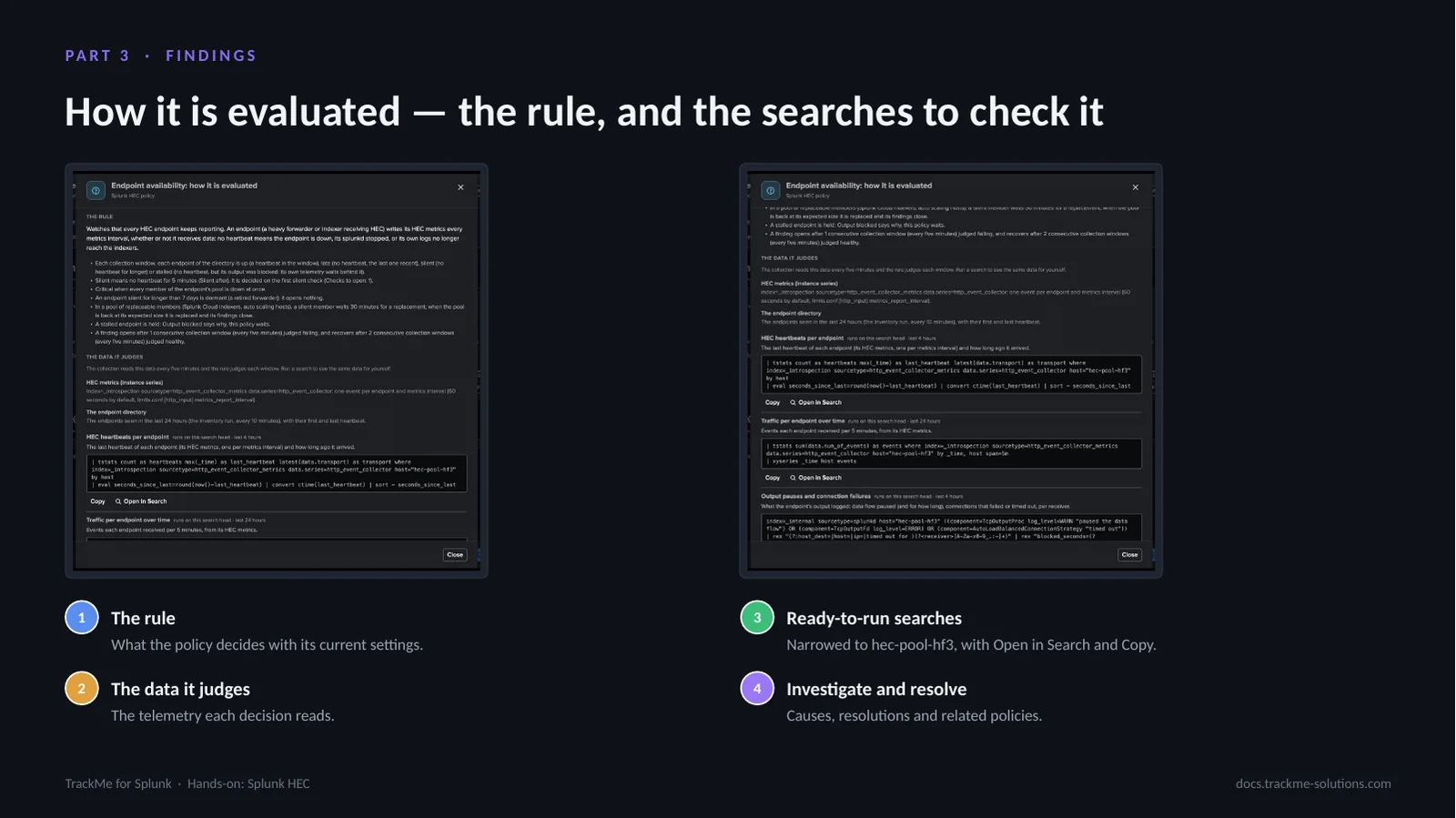
How it is evaluated explains the rule of the policy with its current settings, the data it judges and how to investigate and resolve. Its ready-to-run searches are built from the tenant’s own source and, opened from a finding, narrowed to its endpoint or token — here host hec-pool-hf3 — each with Open in Search and Copy. An administrator checks the decision against Splunk’s own data in one click.
The data centres in Topology Studio
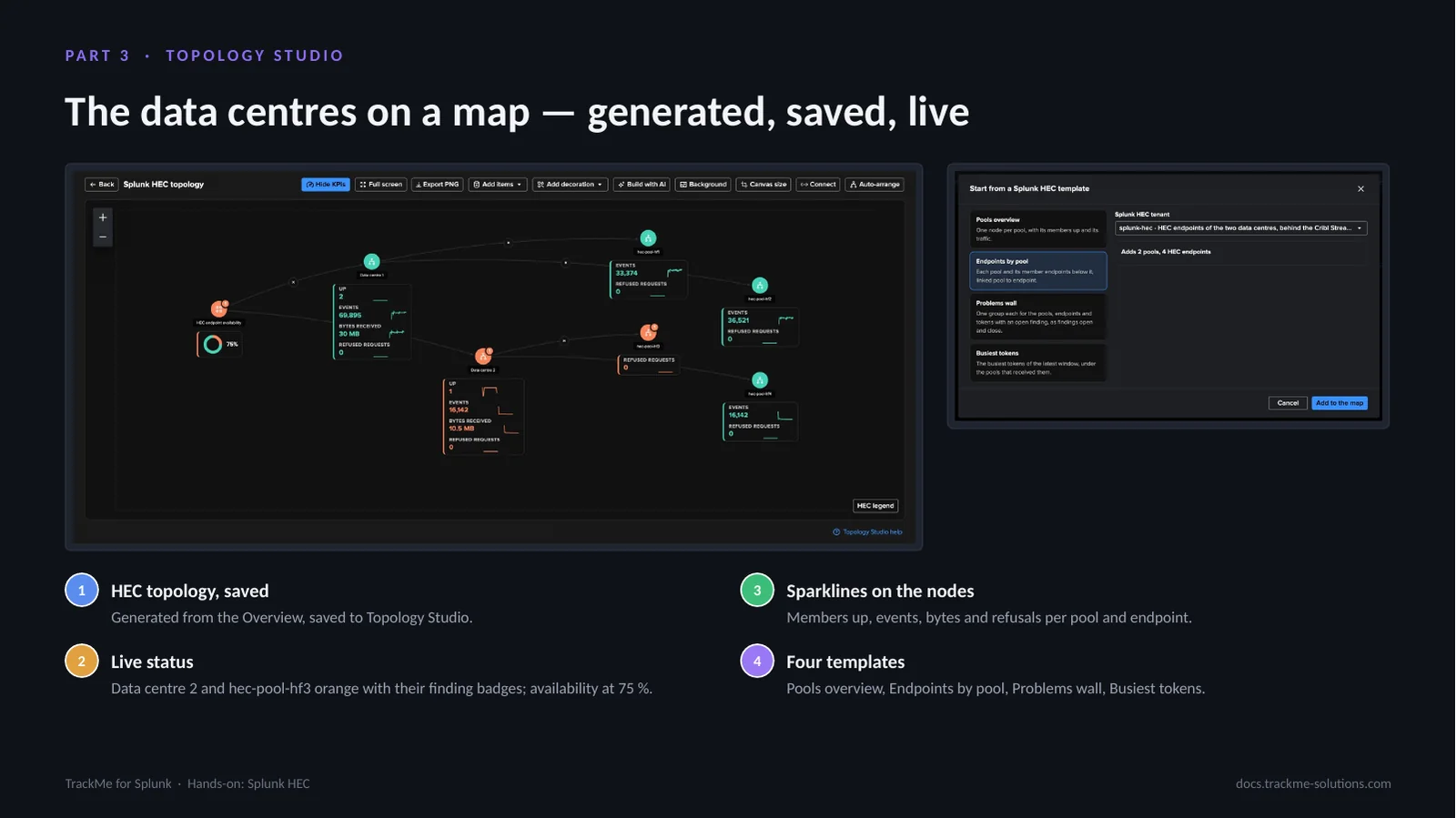
Splunk HEC pools, endpoints and tokens are Topology Studio objects. This view is the HEC topology generated from the Overview and saved to Topology Studio: Data centre 2 and hec-pool-hf3 are orange with their finding badges while Data centre 1 and its members are green, and the endpoint availability fell to seventy-five per cent. Each node carries its sparklines: members up, events, bytes and refused requests. The templates — Pools overview, Endpoints by pool, Problems wall and Busiest tokens — draw other maps; groups follow their objects as they come and go, and Topology Alerts and Build with AI work on HEC tenants.
The Splunk HEC AI Agent
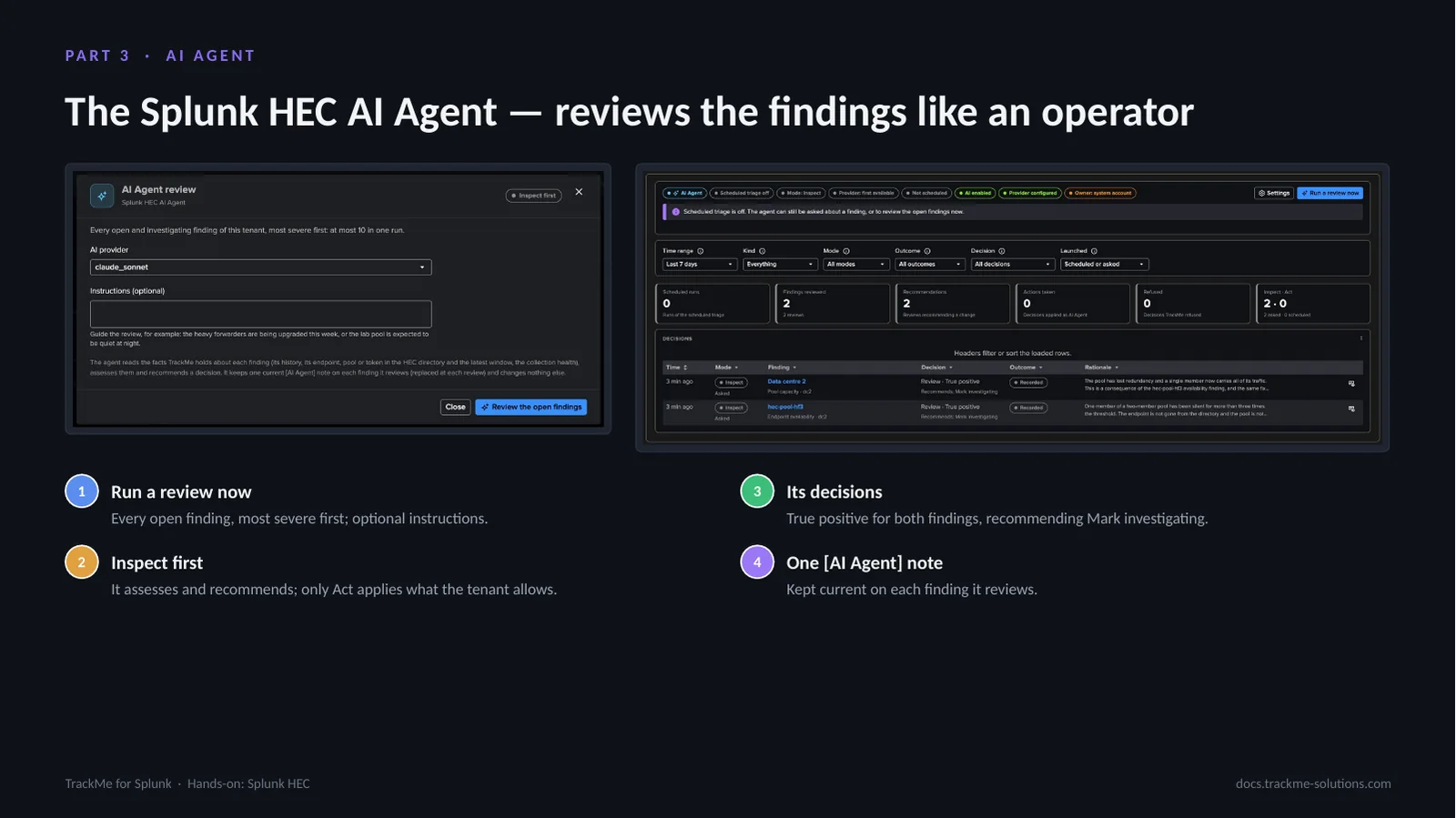
Run a review now reviews every open finding, most severe first, with optional instructions. The agent reads the facts TrackMe holds — the finding and its history, the endpoint or pool in the directory and the latest window, collection health and its own past decisions — and runs no search. It inspects first: here it judged both findings true positives and recommended marking them investigating, recorded without applying anything. Act applies only what the tenant allows, and scheduled triage is off by default.
Part 4 — Operate
This part covers operating the tenant day to day: the eighteen built-in policies and their editor, the tokens that must keep sending selected by name or from lookups, the traffic models and their tuning, collection health with its run budgets, and the optional splunkd API enrichment of the endpoints.
The built-in policy catalogue
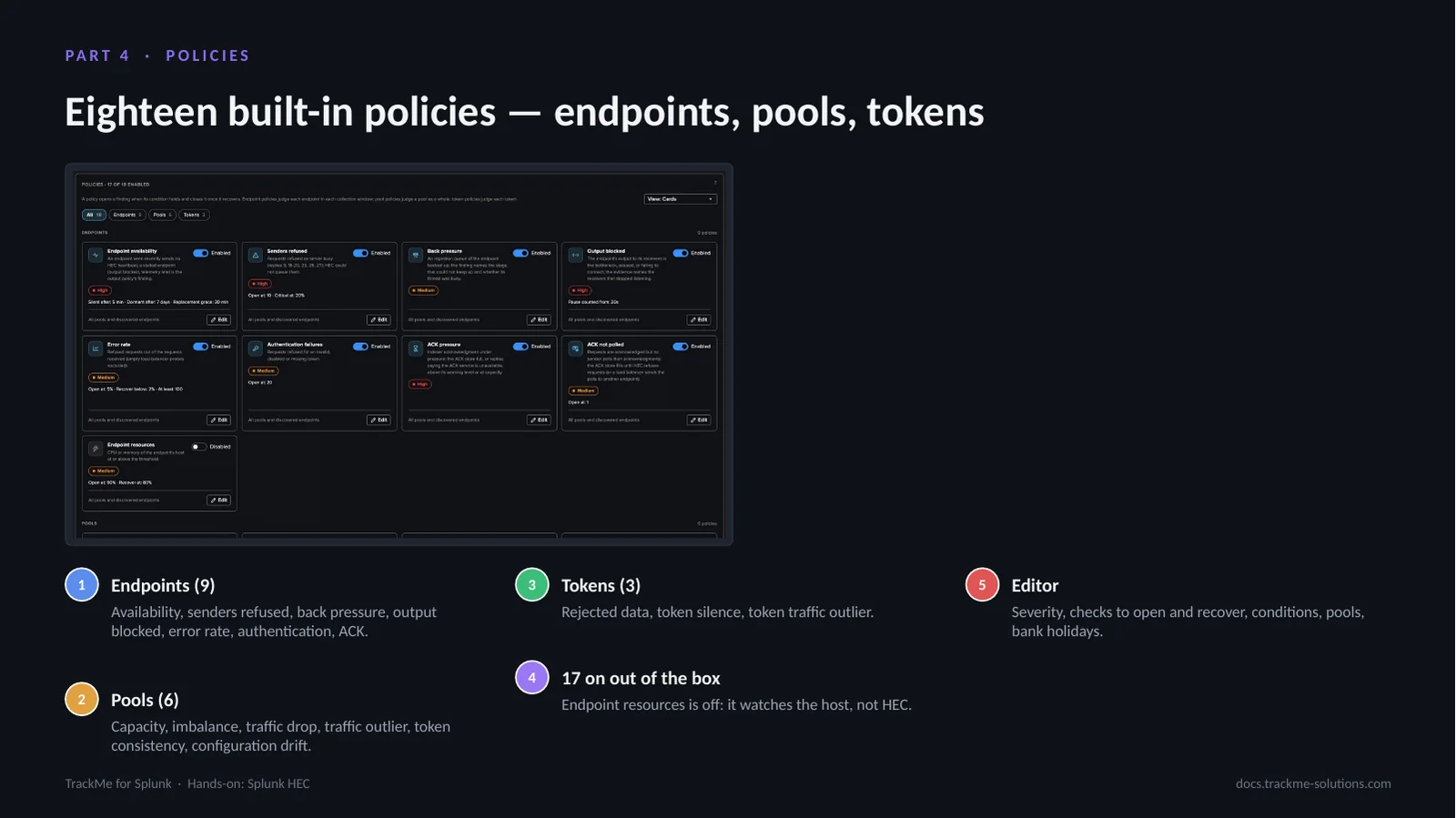
Eighteen built-in policies in three categories: nine on endpoints (availability, senders refused, back pressure, output blocked, error rate, authentication failures, ACK pressure, ACK not polled and endpoint resources), six on pools (capacity, imbalance, traffic drop, traffic outlier, token consistency and configuration drift) and three on tokens (rejected data, token silence and token traffic outlier). Seventeen are on out of the box. A TrackMe administrator of the tenant edits each one’s severity, checks, conditions, pools and bank holiday behaviour, and writes custom SPL policies.
Selecting the tokens that must keep sending
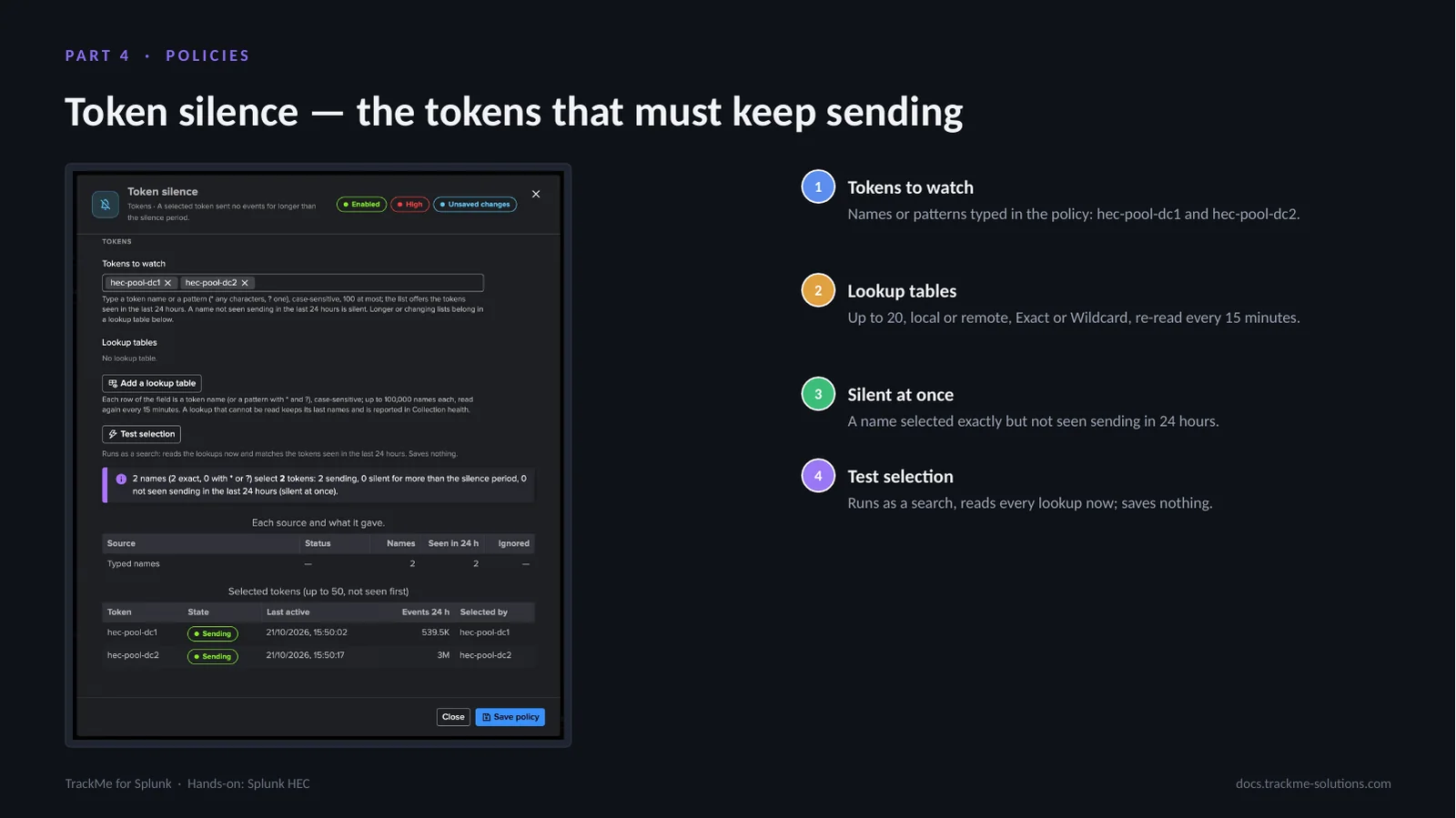
Token silence opens a finding when a selected token sends no event for longer than the silence period, 15 minutes by default. Tokens are typed in the policy — hec-pool-dc1 and hec-pool-dc2 here — or read from up to 20 Splunk lookup tables, local or remote, in Exact or Wildcard mode. A name selected exactly and not seen sending in the last 24 hours is silent at once. Test selection runs as a search, reads every lookup now and saves nothing.
Traffic models and their tuning
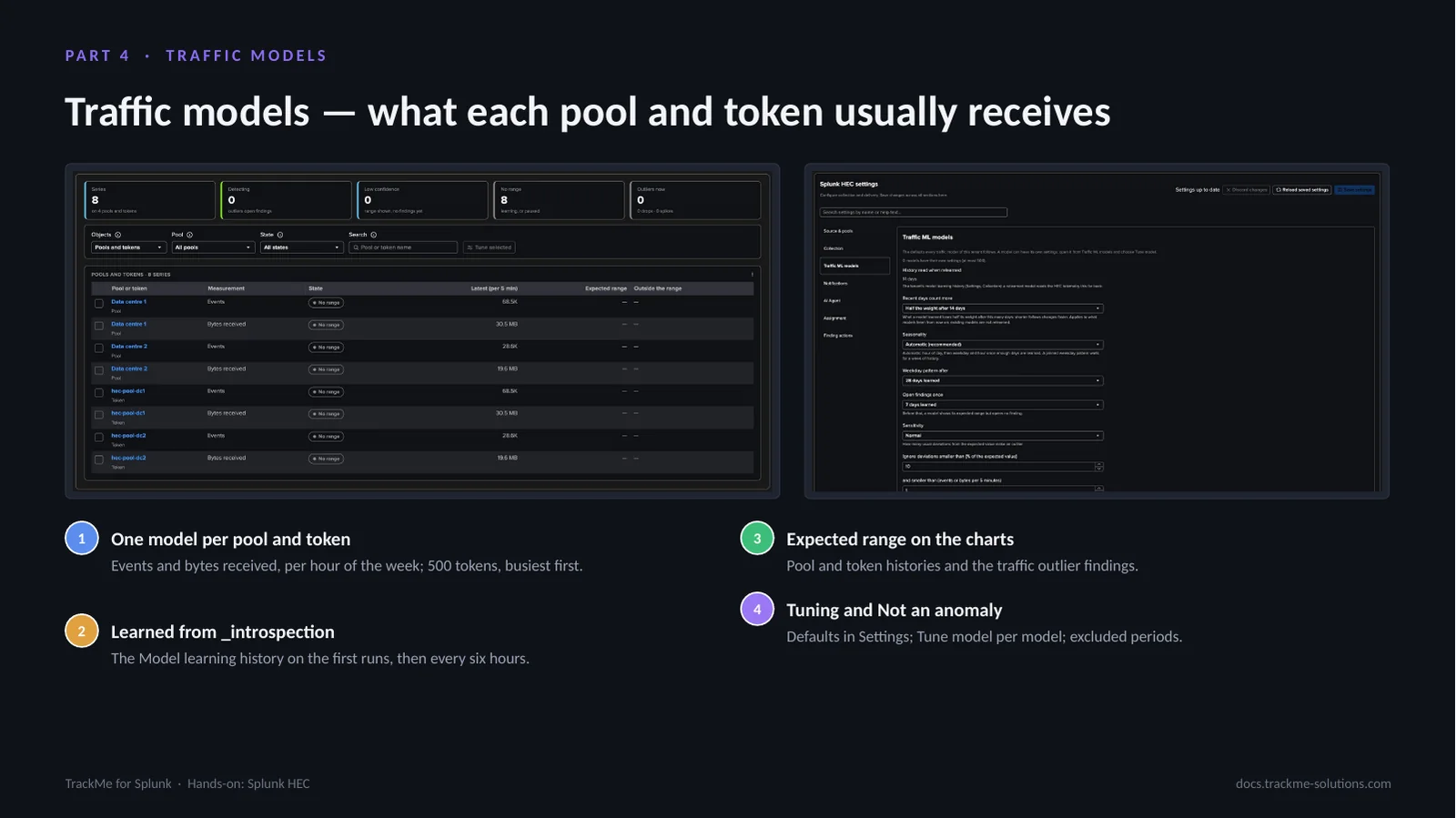
One model per pool and per token, up to 500 tokens busiest first, learns the events and bytes received per hour of the week with the arithmetic of the Cribl Stream traffic models, from the Model learning history on the first runs. The expected range is drawn on the pool and token charts, and Pool traffic outlier and Token traffic outlier open findings once a model detects. Settings, Traffic ML models holds the defaults; Tune model gives a model its own settings and excluded periods, and Not an anomaly excludes an expected episode.
Collection health
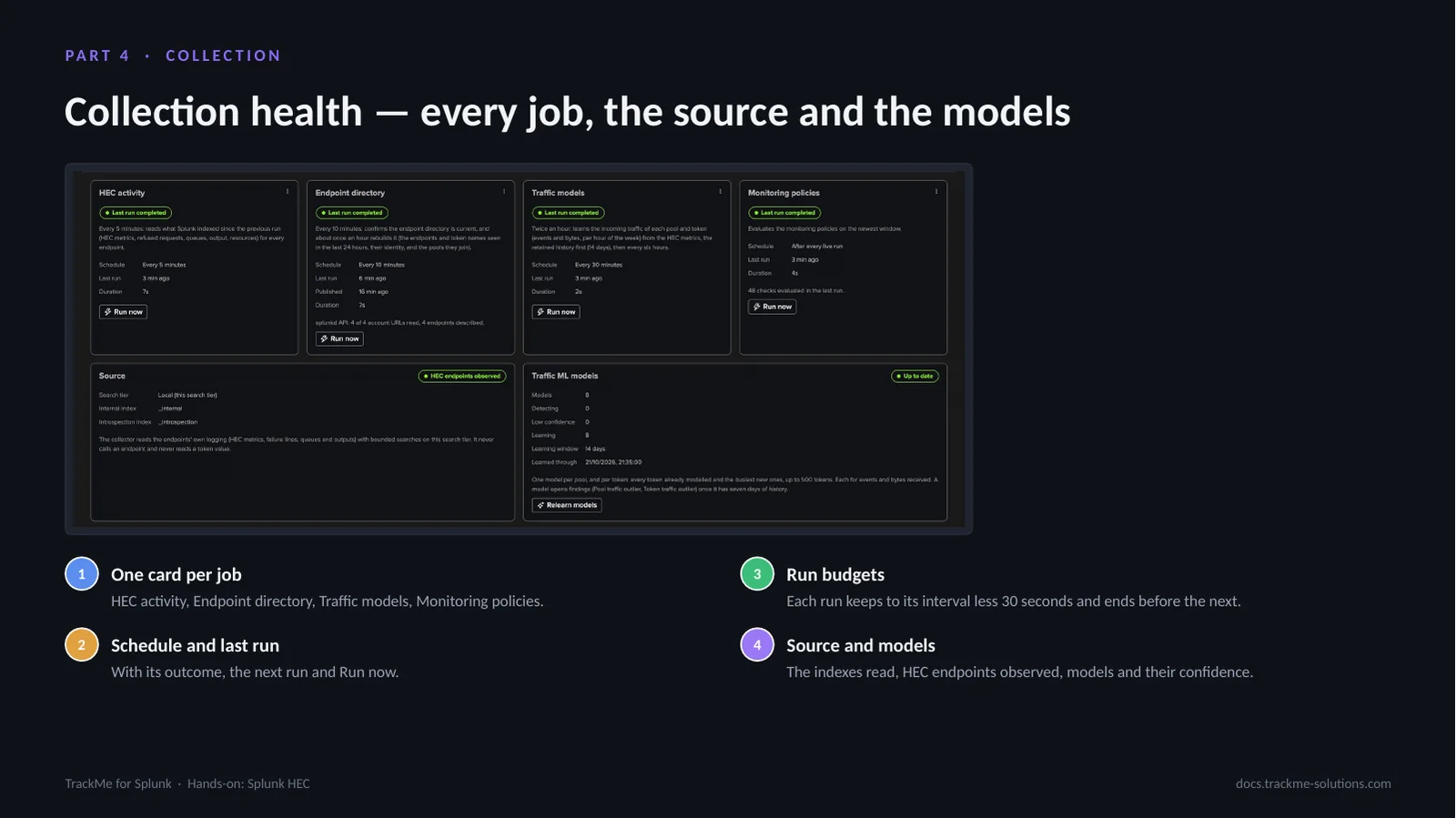
One card per job — HEC activity, Endpoint directory, Traffic models and Monitoring policies — with its schedule, last run, outcome and Run now. Each run keeps to its interval less 30 seconds and ends before the next scheduled run. The Endpoint directory card says what the splunkd API read, the Source panel shows the search tier and indexes read, and the Traffic ML models panel the models and their confidence. When collection does not run as configured, the tab lists the problems and the Configuration Guardian raises an alert.
The optional splunkd API enrichment
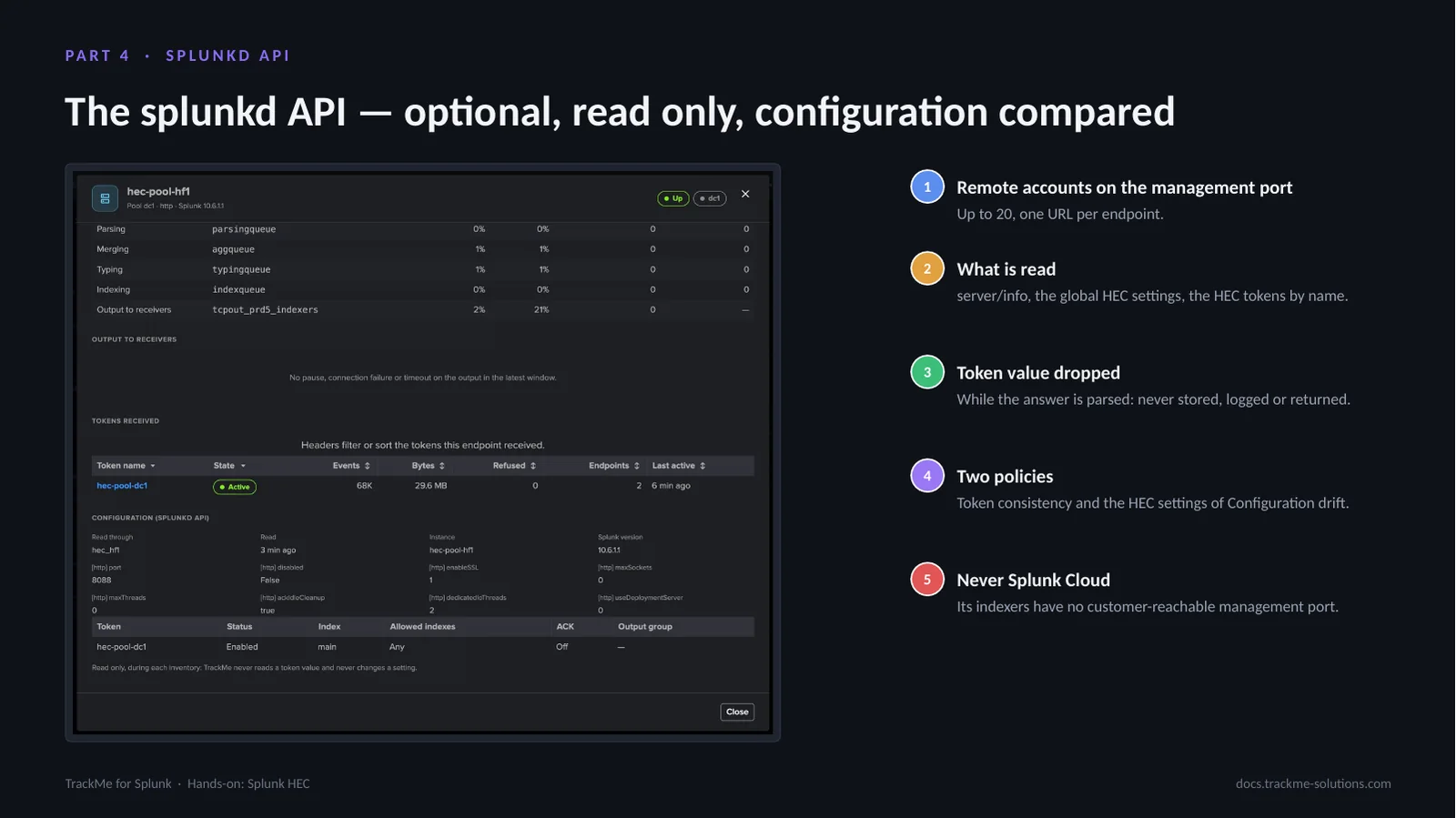
With TrackMe remote accounts bound on the endpoints’ management port, the endpoint directory reads server/info, the global HEC settings and the HEC tokens by name at each rebuild. The token value is dropped while the answer is parsed: never stored, logged or returned. The endpoint drilldown shows the instance’s HEC settings and its tokens with their status, index, allowed indexes and ACK. Token consistency and the HEC settings part of Configuration drift use it; Splunk Cloud is never read.
Where we are
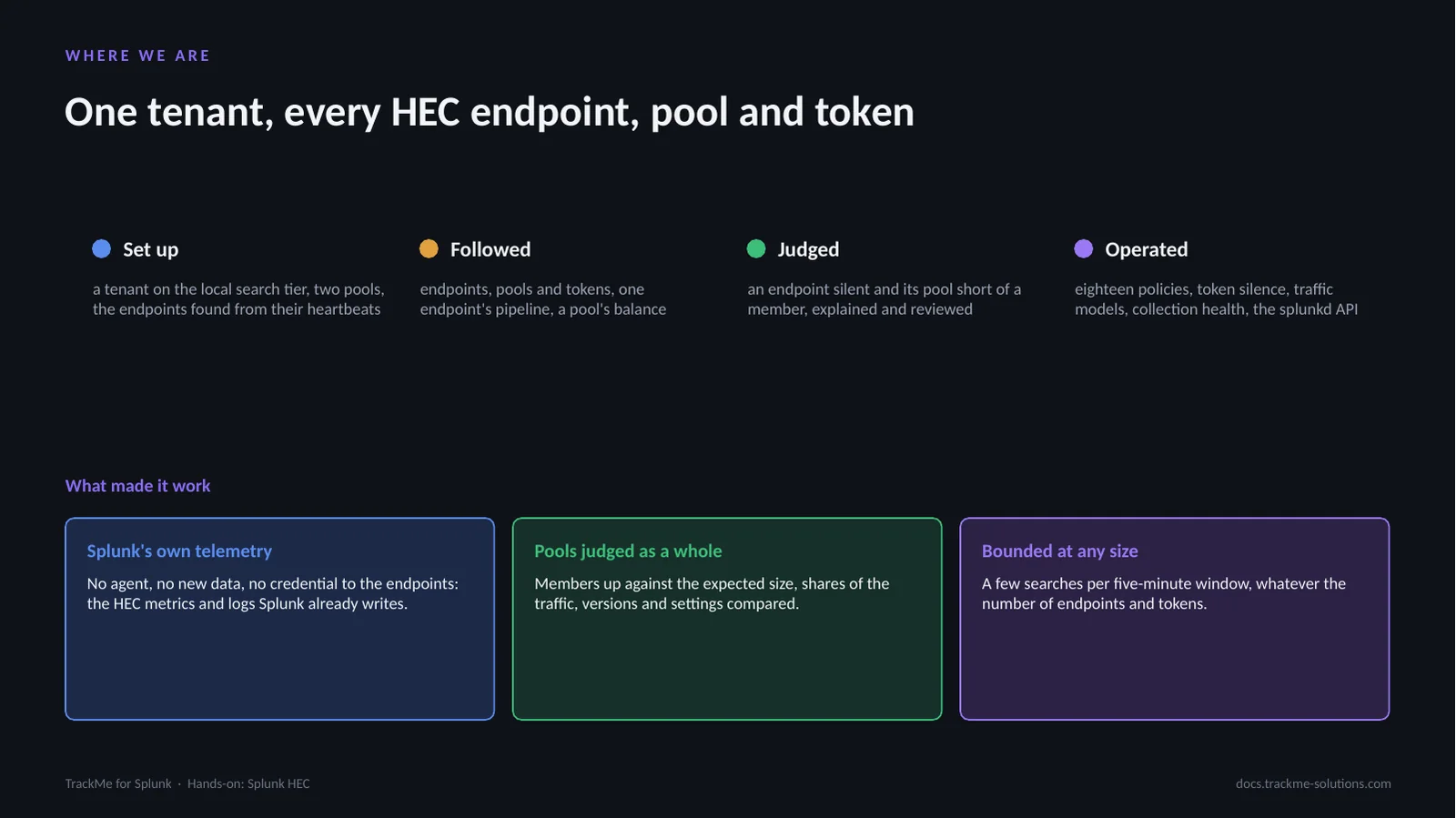
A Splunk HEC tenant was set up on a deployment with two data centres: its endpoints followed from their heartbeats, its pools compared member by member and its tokens by name. A heavy forwarder was stopped, and the two findings it opened were explained, reviewed by the AI Agent and recovered. Three choices make it work: Splunk’s own telemetry with no agent and no new data, pools judged as a whole, and a few bounded searches per window at any size.