Roles & access control — in depth
Tip
This is the in-depth reference for TrackMe’s RBAC and ownership model. For the
readable overview, start with Roles & access control. This page
covers the built-in-roles capability matrix, the configuration-UI requirements, a worked
multi-team example, and updating RBAC through the UI and the update_tenant_rbac SPL.
Least-privileges by design
TrackMe takes a strict least-privileges approach — it avoids dangerous Splunk capabilities such as
list_settingsorlist_storage_passwordsfor most operations.It uses three built-in roles —
trackme_user,trackme_power,trackme_admin— each granting one built-in capability (trackmeuseroperations/trackmepoweroperations/trackmeadminoperations) that gates the matching REST endpoints.Privilege level also shapes the UI: a read-only user sees no administration shortcuts or entity-edit buttons.
Role inheritance is fully supported, for both Virtual Tenants and remote accounts; RBAC is also required on Splunk remote accounts.
On upgrade from an older version, a tenant’s former
trackme_adminpermissions are re-assigned totrackme_powerautomatically; you can then adjust with TrackMe’s built-in RBAC re-assignment.
How TrackMe RBAC works
TrackMe implements Role-Based Access Control and ownership natively, on a strict use of Splunk capabilities. In short:
When a Virtual Tenant is created, administrators define the target indexes for every type of data TrackMe generates, and access to those indexes is granted through Splunk RBAC.
The tenant’s knowledge-object permissions are set at creation, with two access levels: administrative access and read-only user access.
Every new knowledge object TrackMe creates for the tenant automatically inherits the tenant’s permission rules.
An administrator can update a tenant’s RBAC at any time — the tenant configuration and all of its existing knowledge objects are re-permissioned automatically.
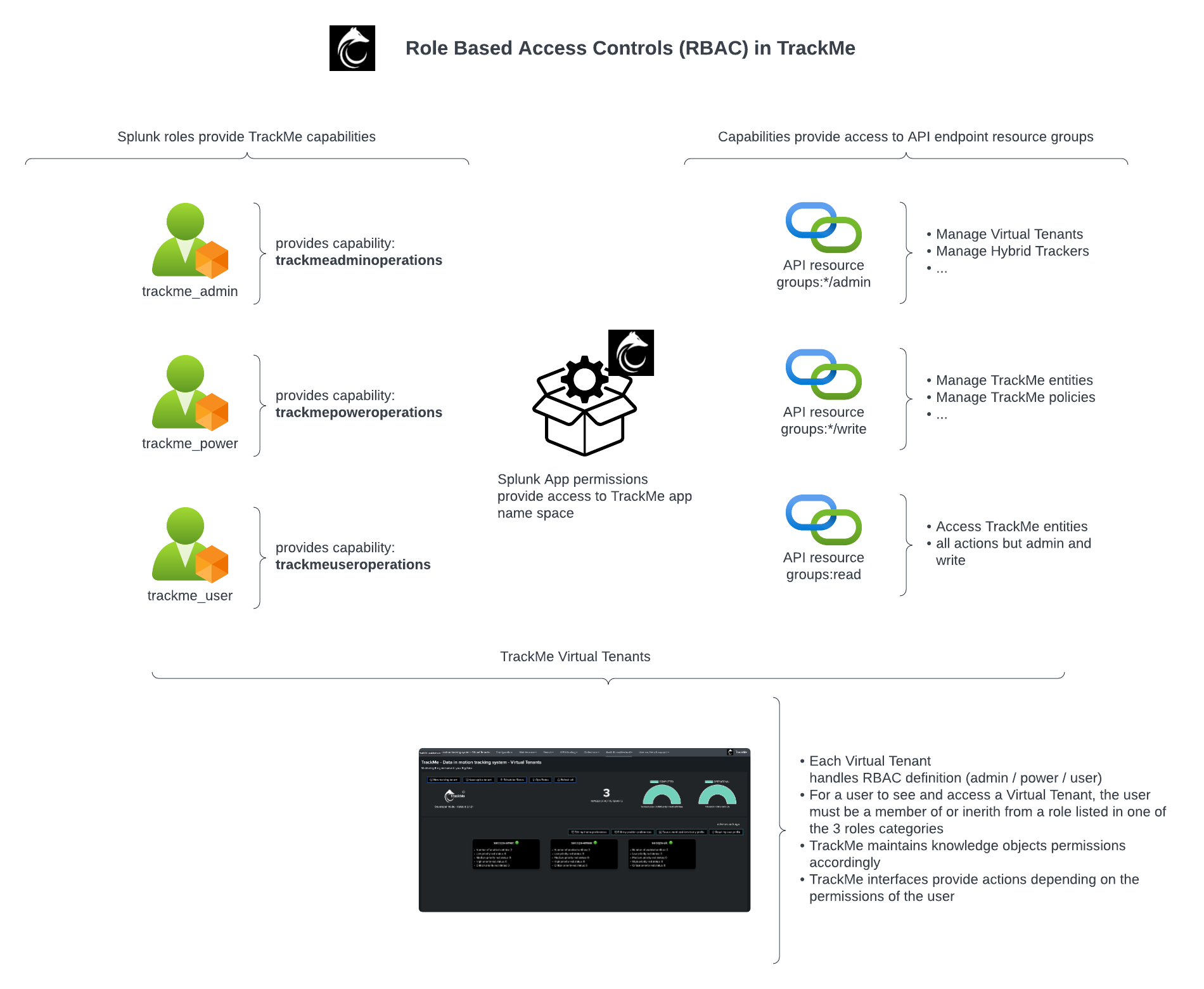
The built-in roles
The three built-in roles, their capabilities, the endpoints they unlock, and what they allow:
Role |
Capability |
Endpoints root |
Description |
|---|---|---|---|
trackme_user |
trackmeuseroperations |
all but write and admin |
read-only access in TrackMe |
trackme_power |
trackmepoweroperations |
*/write |
manage existing entities, but not create new content (such as trackers) |
trackme_admin |
trackmeadminoperations |
*/admin |
manage content, including creating tenants and trackers |
How to apply them:
Make users members of the built-in roles directly, or inherit the built-in roles into your own roles to grant the TrackMe capabilities.
A holder of
trackmeadminoperationscan create tenants and scheduled logic (trackers) even when their Splunk role would not normally allow creating scheduled knowledge objects — this elevation happens only inside TrackMe’s REST API, scoped to the user’s capabilities.A write call without
trackmepoweroperations, or an admin call withouttrackmeadminoperations, is refused by Splunk at the endpoint.
Configuration-UI requirements
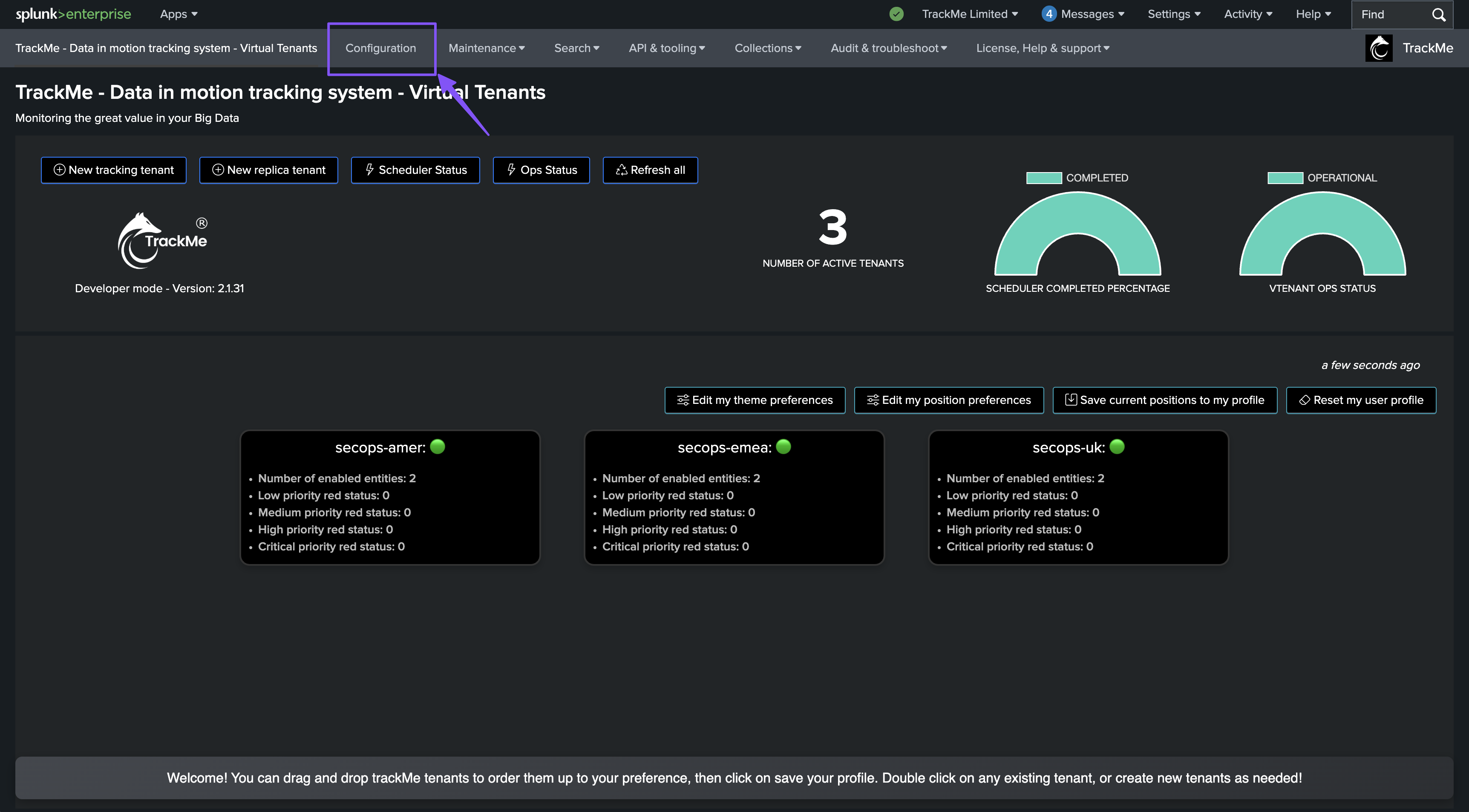
The TrackMe Configuration UI is built on the Splunk UCC framework, which is what makes RBAC re-assignment and ownership management possible from the UI. Reaching that UI requires:
list_settingslist_storage_passwordsadmin_all_objects
These are needed only for the Configuration UI — not for creating or managing TrackMe knowledge objects (tenants, trackers, …). They are typically granted to Splunk administrators only; central configuration changes are infrequent and not part of daily TrackMe operations.
RBAC at tenant creation
RBAC and ownership are defined as part of creating a Virtual Tenant.
Hint
Preset the creation defaults
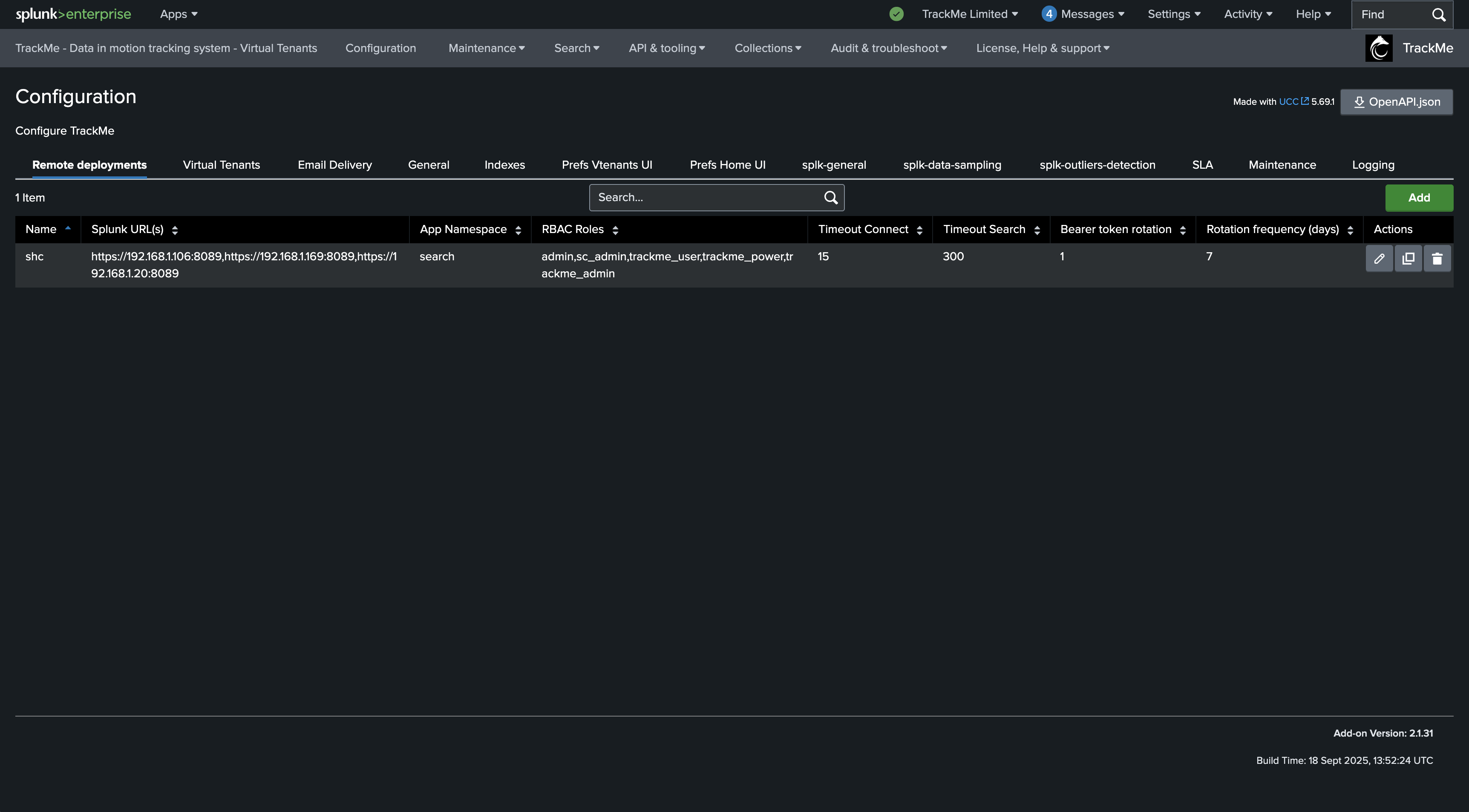
You can preset the proposed owner and roles for new tenants under Configuration → General → RBAC: sharing, ownership and default roles.
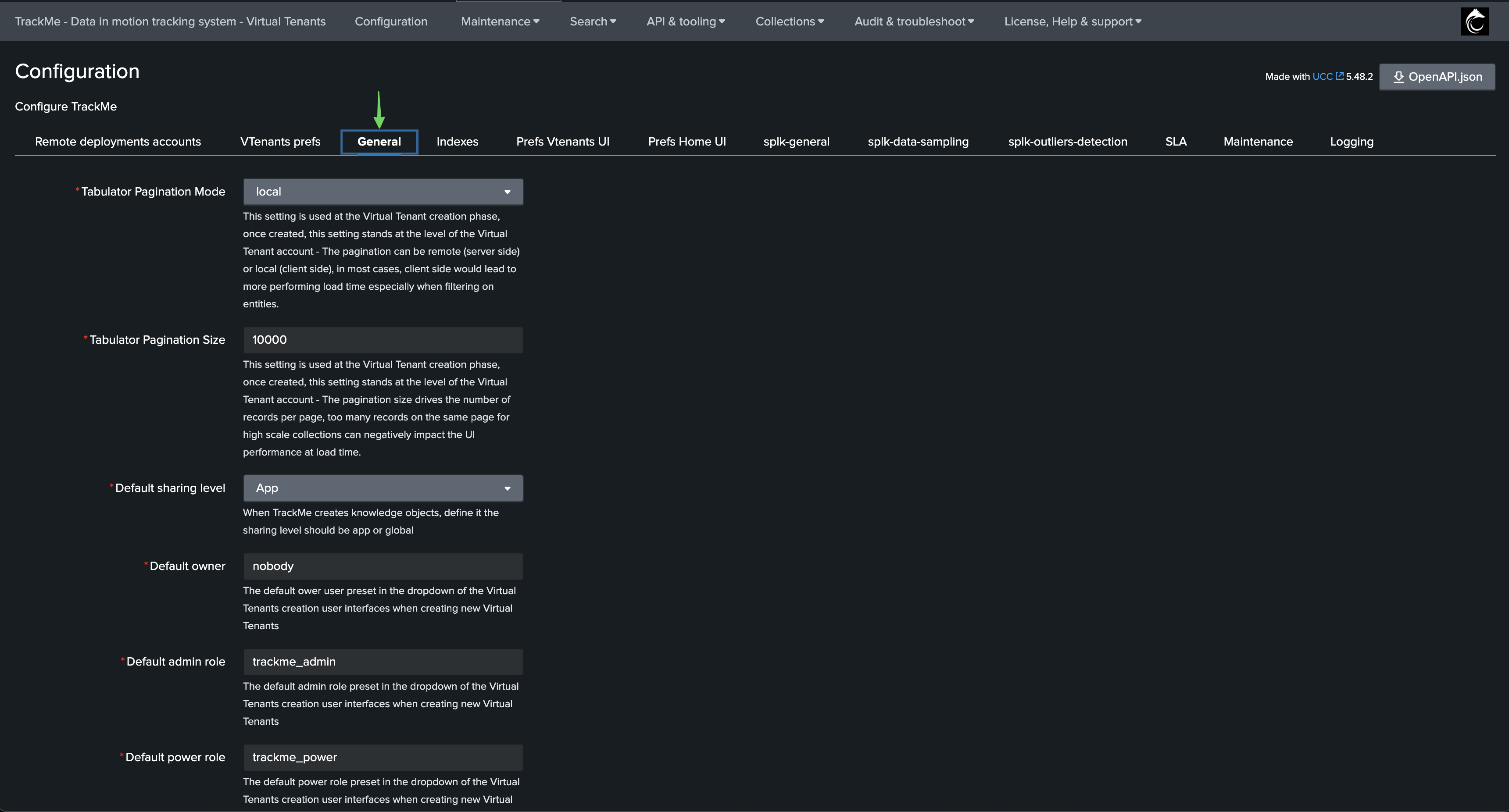
Defining RBAC while creating a tenant:
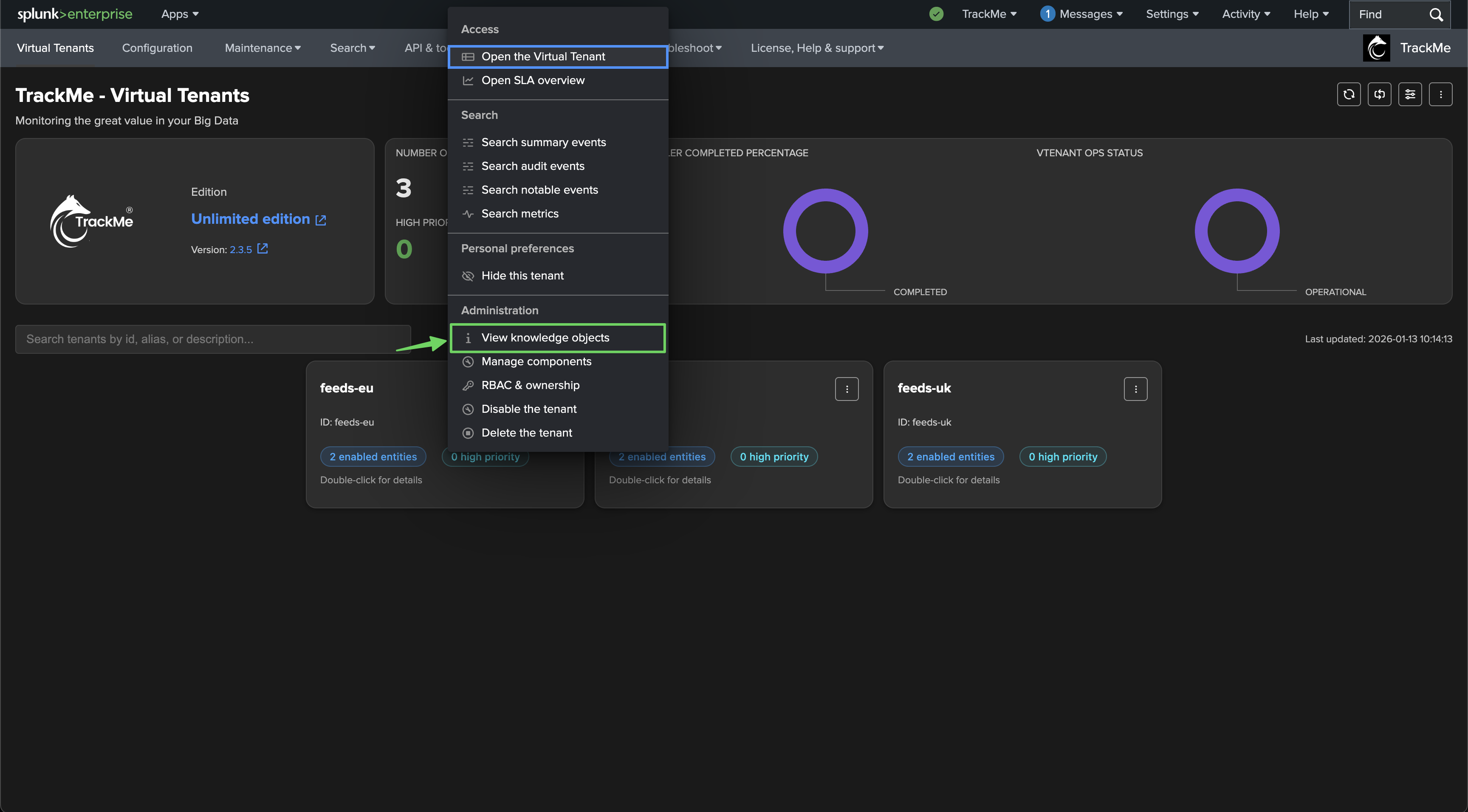
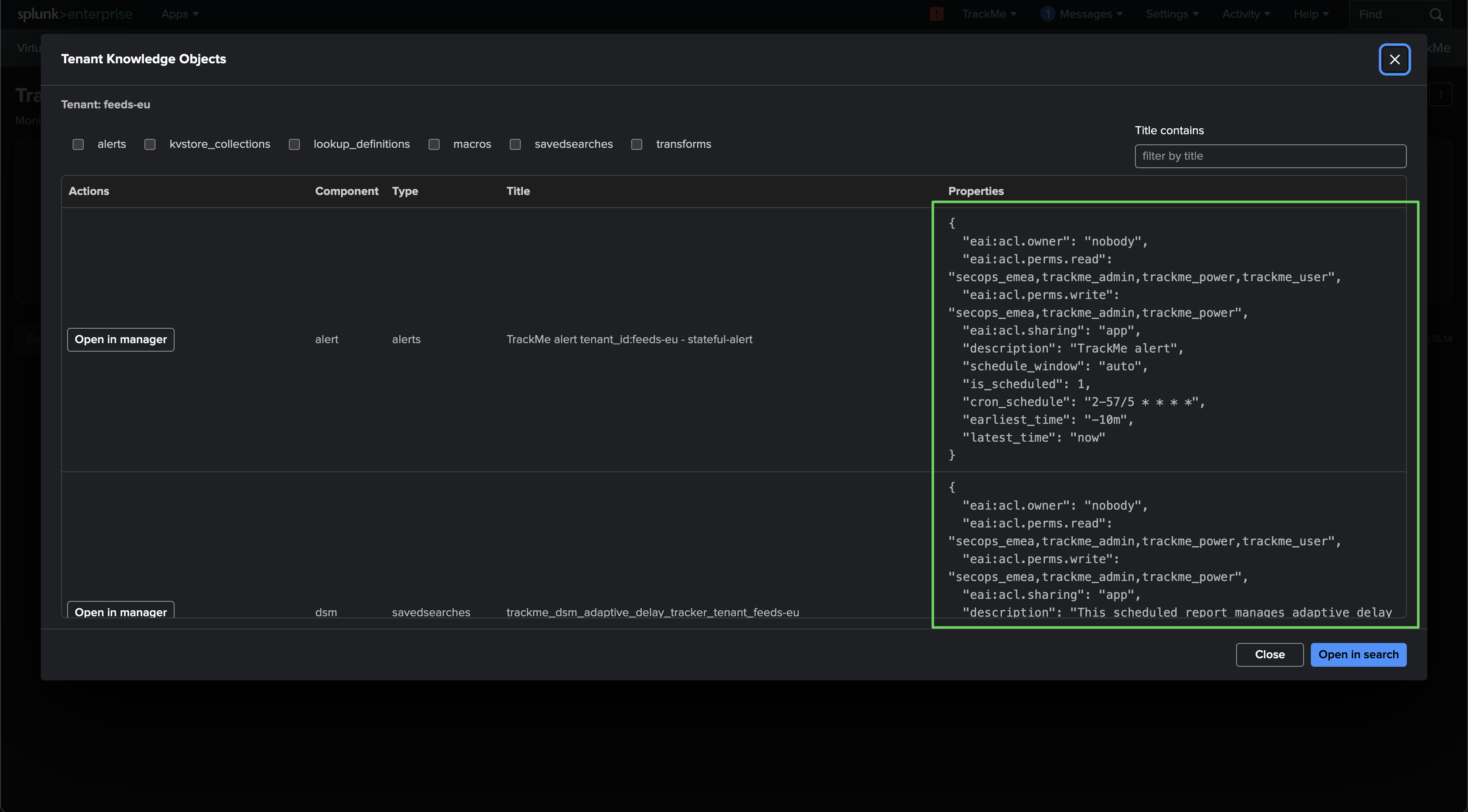
Once the tenant exists, you can review the permissions and ownership TrackMe applied:
Worked example: per-team tenant access
This example shows how to scope access to Virtual Tenants by role. We have three tenants, each dedicated to a regional security-operations team:
secops-emea— EMEA team, Splunk rolesecops_emeasecops-amer— Americas team, Splunk rolesecops_amersecops-uk— UK team, Splunk rolesecops_uk
A TrackMe administrator can reach all three, but each tenant is configured with a different role for access:
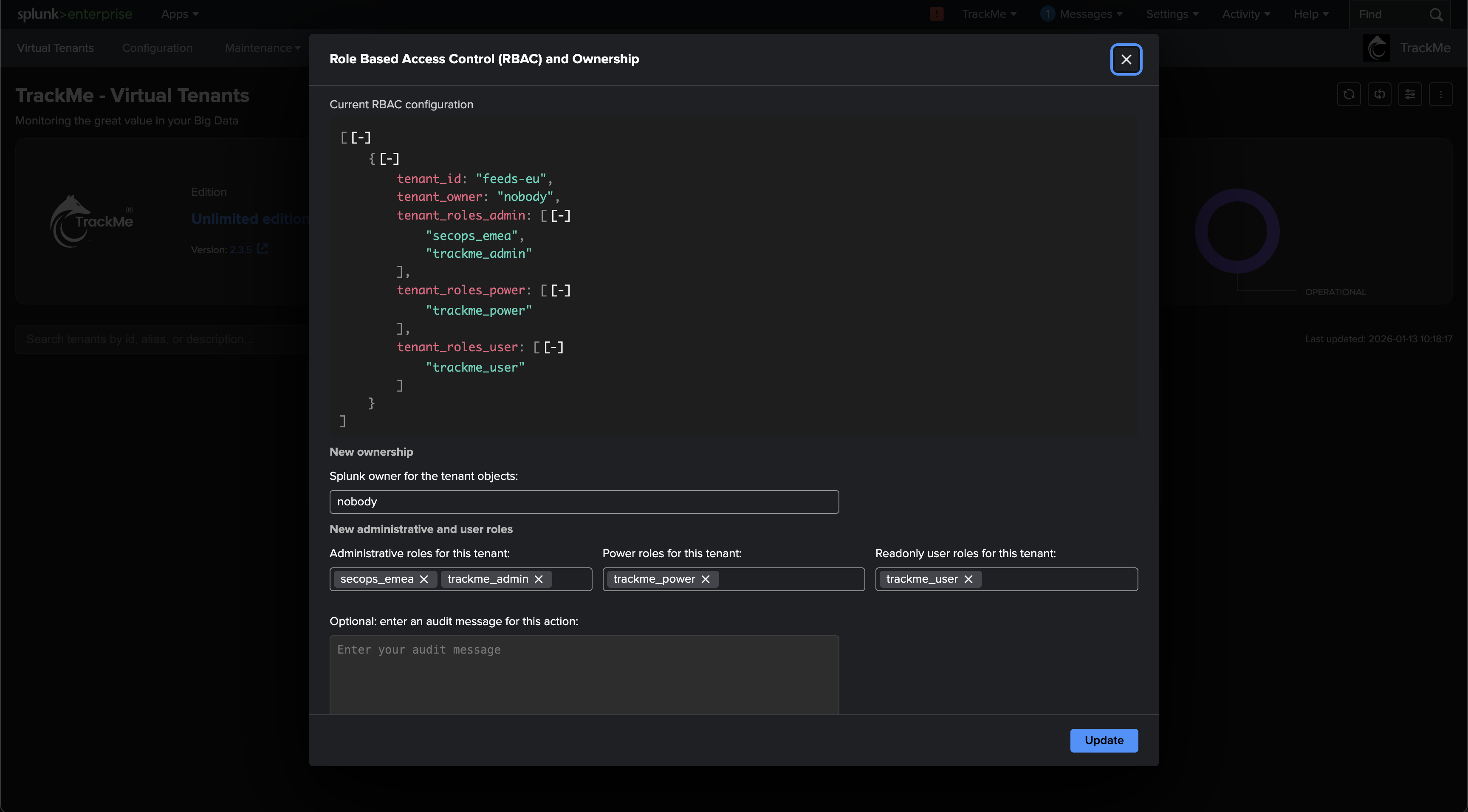
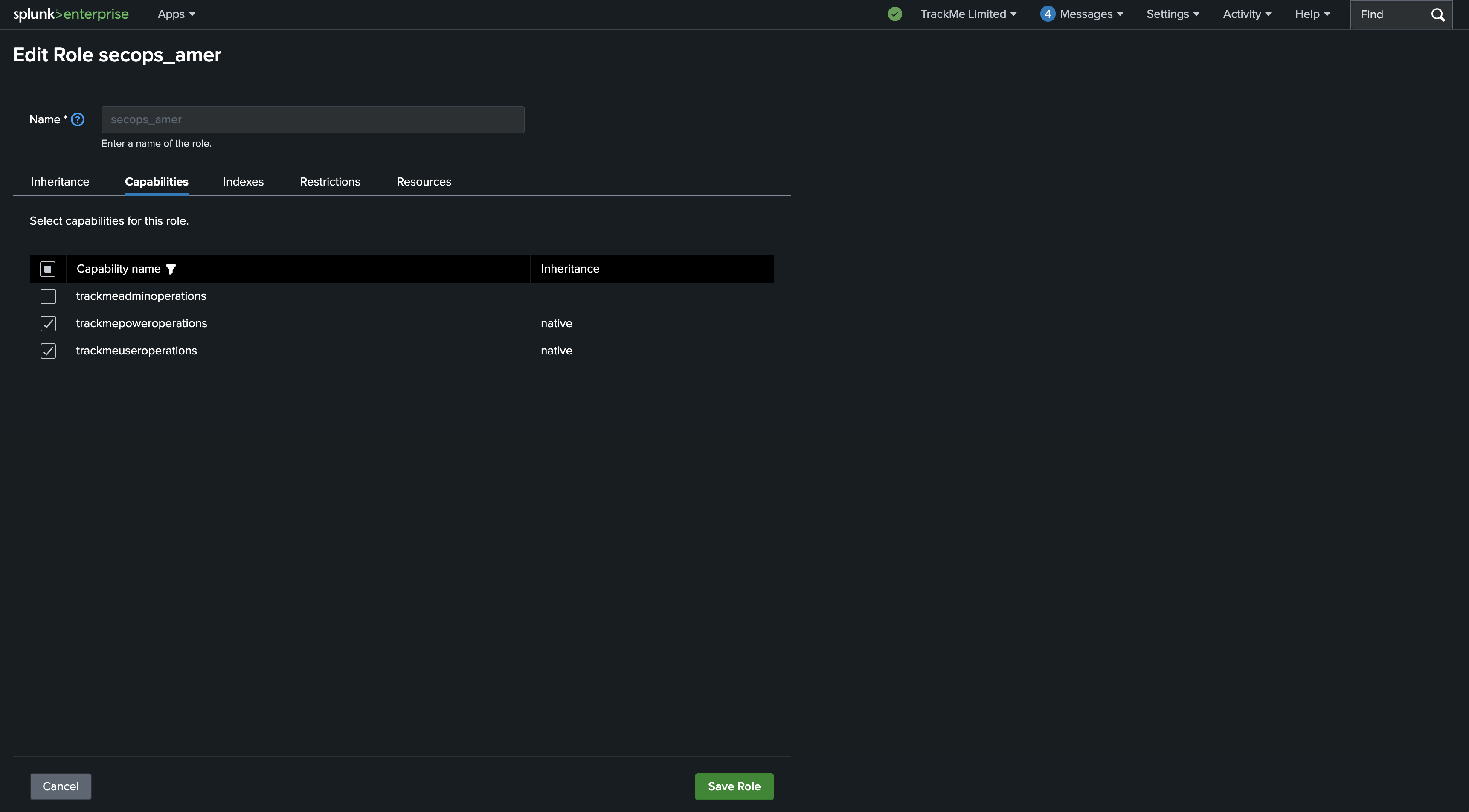
Each role must also be granted access to the TrackMe application namespace:
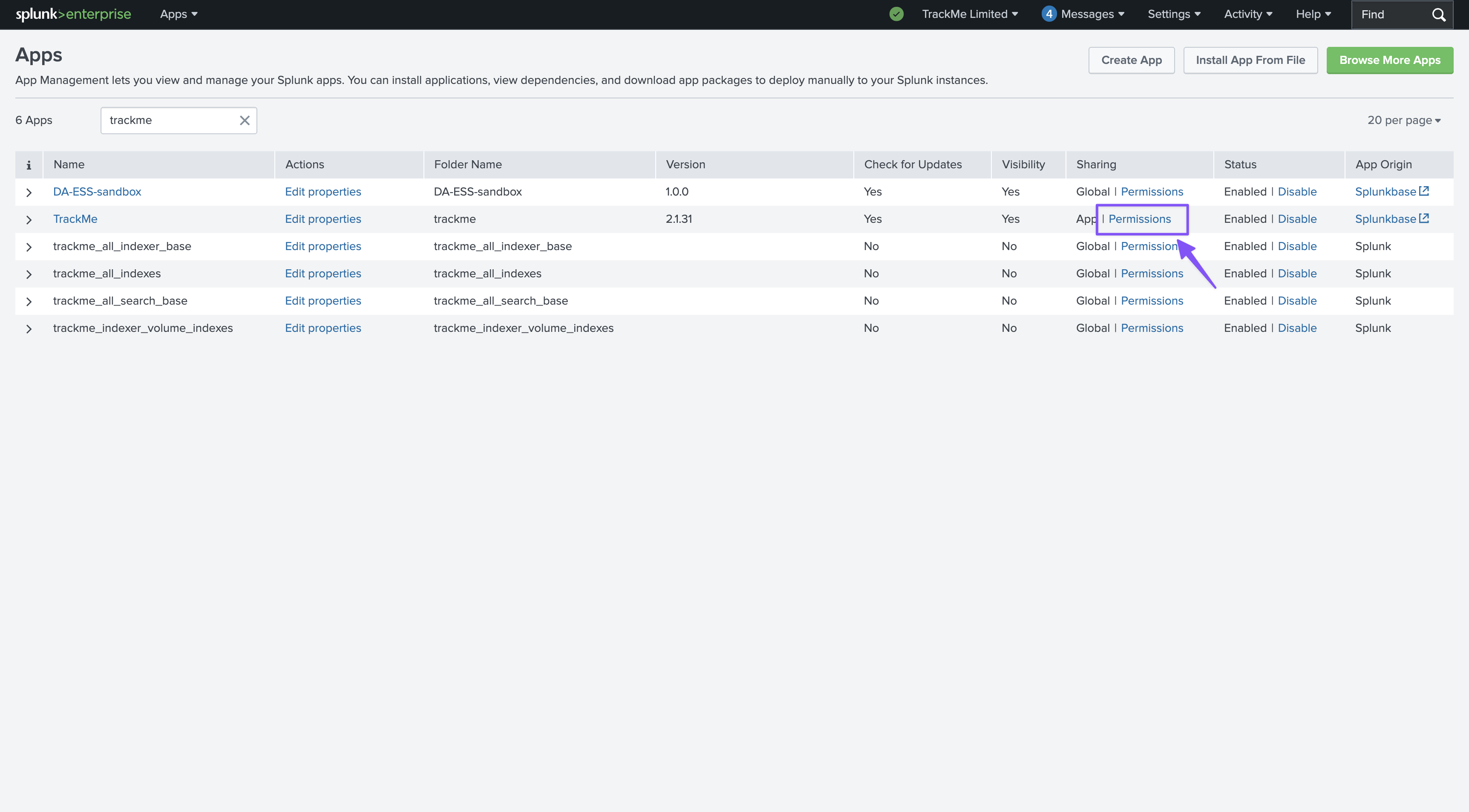
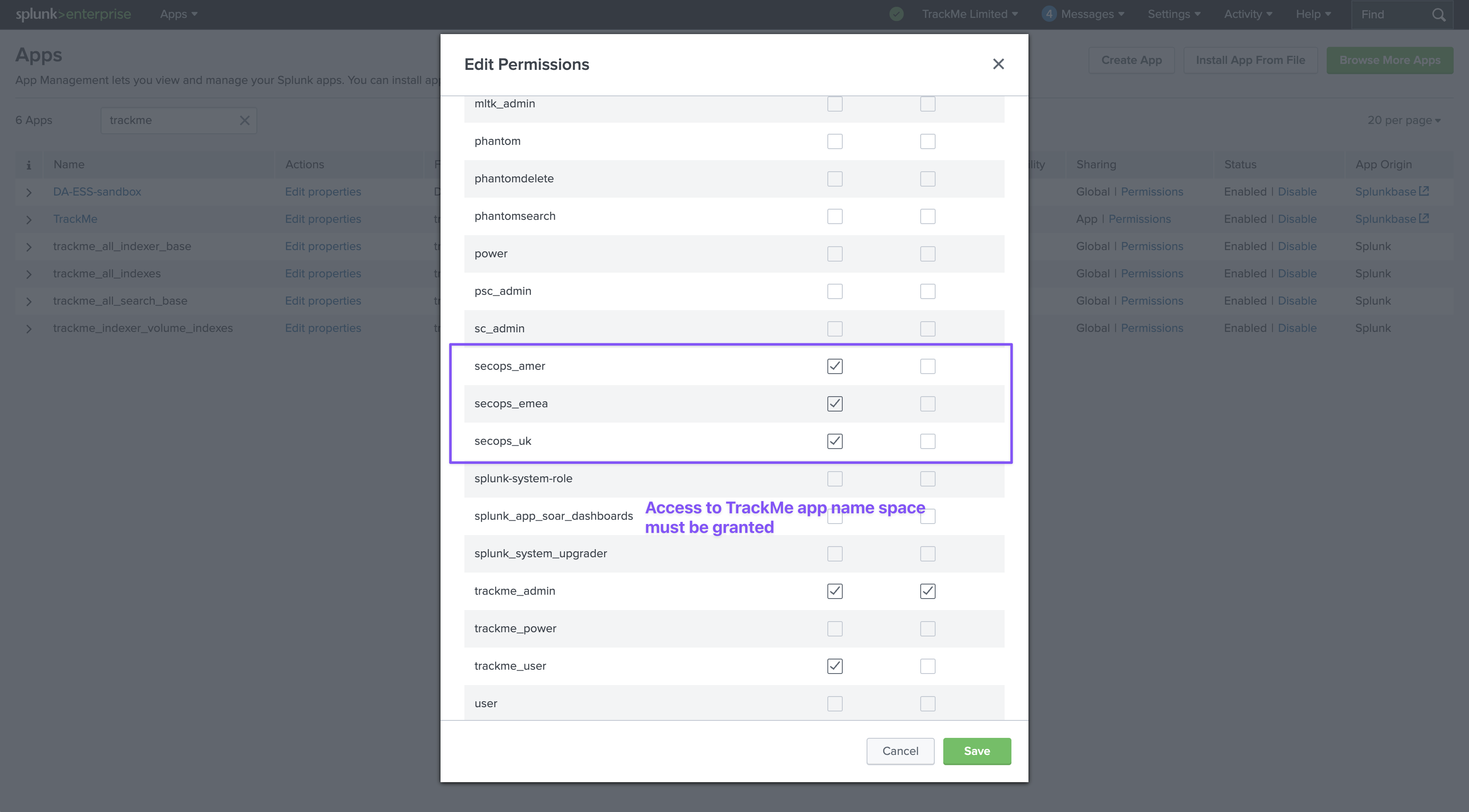
Warning
Inheritance can over-grant access
By default, a new tenant lists all three built-in roles in each RBAC category. So if the role you use for access inherits from one of the built-in roles and you leave that default in place, its members are granted access and will see every tenant. To scope access cleanly, either make the desired TrackMe capability native to the user’s role, or remove the built-in roles from the tenant’s RBAC configuration.
When a member of the configured roles connects, they see only the tenants they have access to:
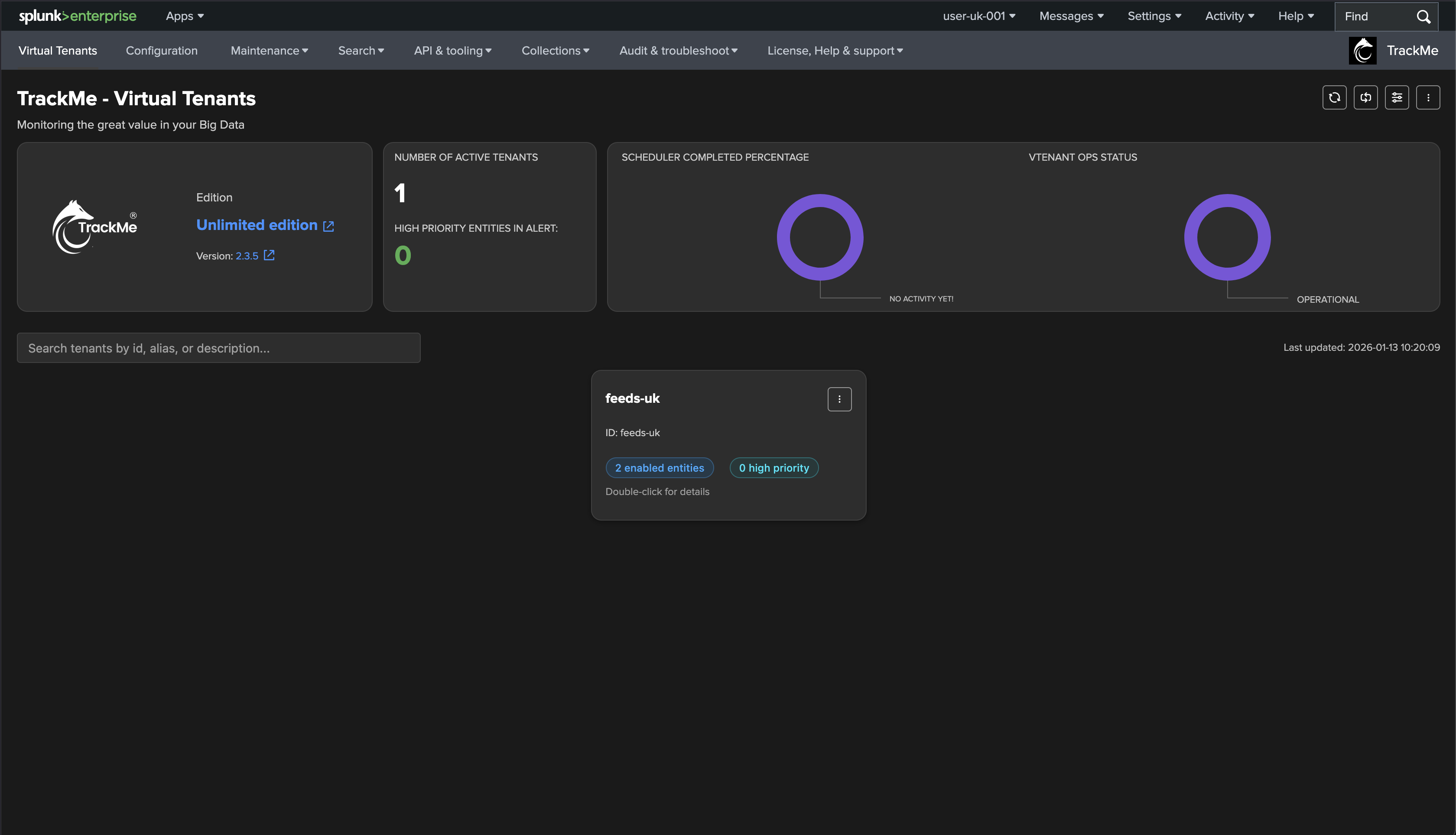
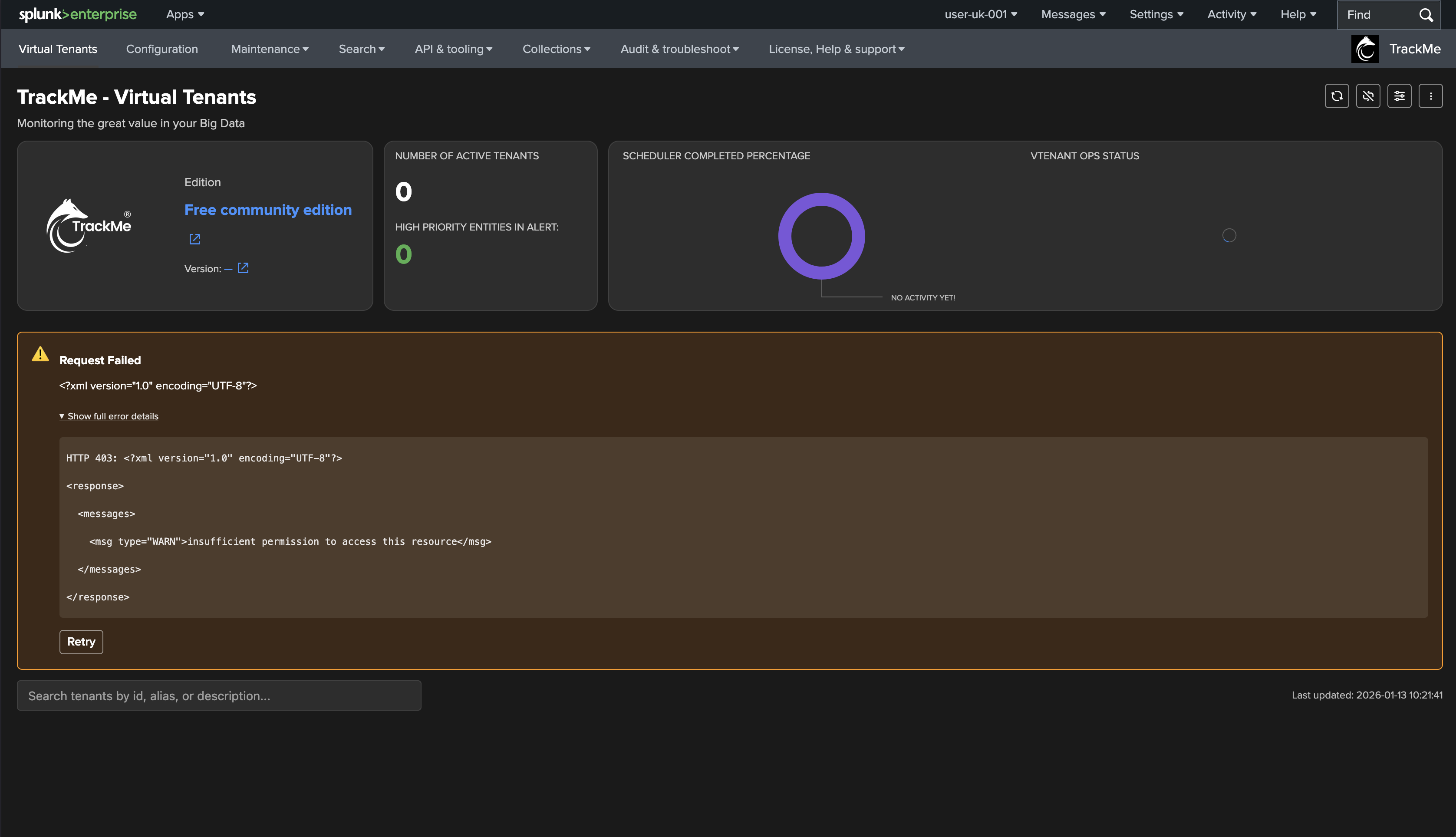
If a user is granted TrackMe app access but lacks the required TrackMe capabilities, they get this error screen instead:
Here the roles carry the TrackMe capabilities natively, so the user can access the resources as intended:
Updating RBAC for an existing tenant
You can update a tenant’s RBAC policies and ownership at any time — through the UI or the REST API.
Through the Virtual Tenant UI
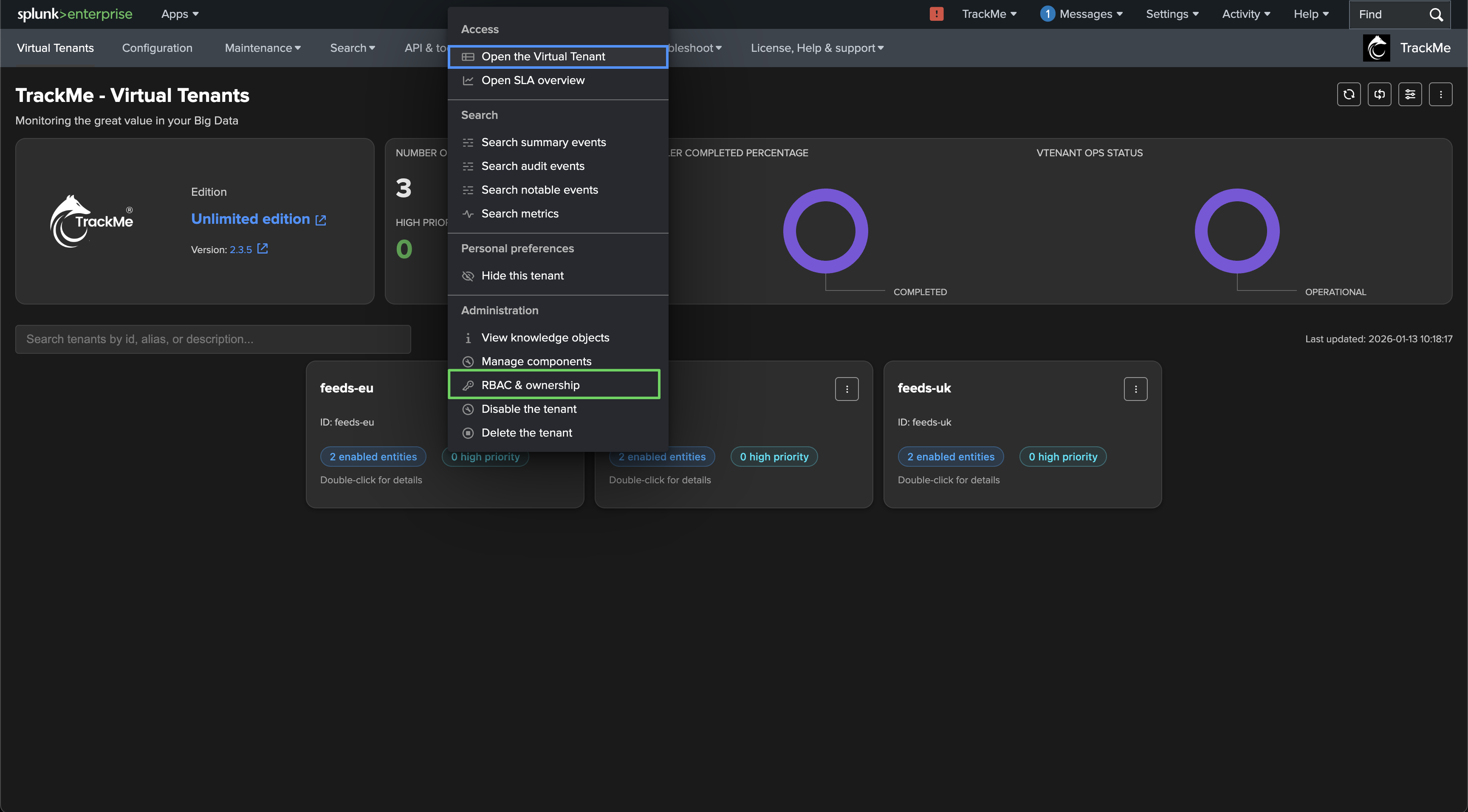
Open the Virtual Tenants interface, double-click the tenant, and open its administration screen:
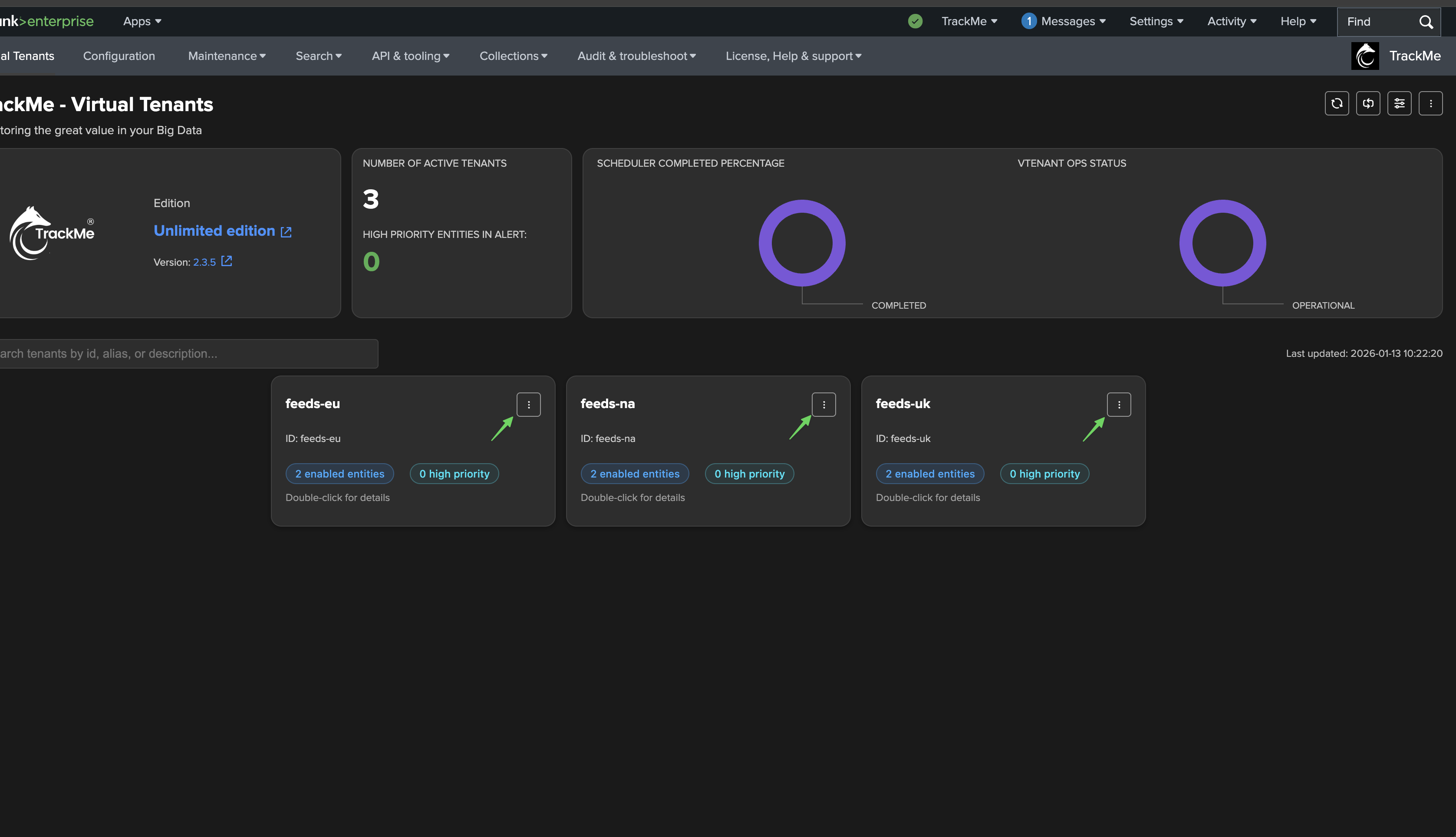

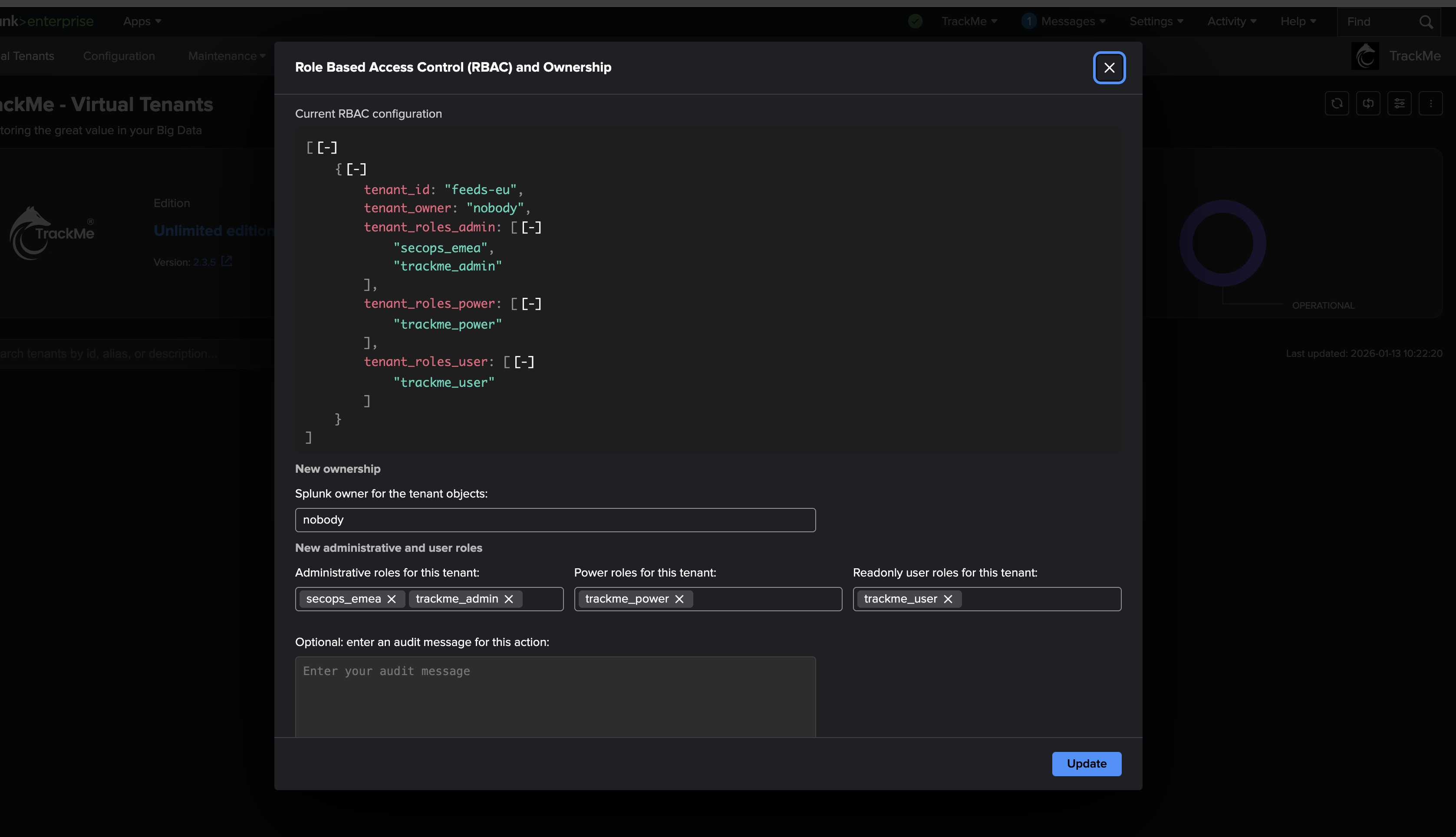
Update the ownership and/or RBAC policies carefully: TrackMe updates the tenant configuration and re-assigns all of its knowledge objects if needed, updating their permissions accordingly.
Through the REST API
The same update is available from the update_tenant_rbac endpoint. The best way to
discover any endpoint’s usage — its parameters, HTTP method, and ready-to-copy curl and
SPL examples — is the built-in TrackMe REST API Reference UI (open it from
API & Tooling → TrackMe REST API Reference), which documents every endpoint:

For instance, to add the siem_users role to the user access of the
siem-quality-control tenant:
| trackme url=/services/trackme/v2/vtenants/admin/update_tenant_rbac mode=post
    body="{'tenant_id': 'siem-quality-control', 'tenant_roles_admin': 'emea_siem_admin',
           'tenant_roles_power': 'emea_siem_power',
           'tenant_roles_user': 'emea_quality_control,siem_users',
           'tenant_owner': 'srv-trackme'}"
Restricting a tenant to specific users
On top of the role model, a tenant can be restricted to an allowlist of Splunk
usernames. When the allowlist (tenant_allowed_users) is non-empty, only those users —
plus the tenant owner — see the tenant in the Virtual Tenants UI and via trackmeload;
everyone else, even with a granting role, does not. (splunk-system-user always bypasses it,
so scheduled searches and alert actions keep working.) It is an extra visibility filter
layered over RBAC, not a replacement — a listed user still needs a role that grants access.
Clear the list to remove the restriction. Set it from the
vtenants/admin/update_tenant_visibility endpoint:
| trackme url=/services/trackme/v2/vtenants/admin/update_tenant_visibility mode=post
    body="{'tenant_id': 'siem-quality-control', 'tenant_allowed_users': 'alice,bob'}"
See also
Roles & access control — the readable overview of the role model.
Creating a tenant — where RBAC and ownership are first set.
Managing tenants — updating a tenant after creation.
REST API reference — the REST API the
update_tenant_rbaccall uses.